EasyManua.ls Logo

Avermedia AVerTV 3D - Page 25

Avermedia AVerTV 3D
101 pages
Print Icon
To Next Page IconTo Next Page
To Previous Page IconTo Previous Page
Loading...
AVerMedia Technologies Inc.
25
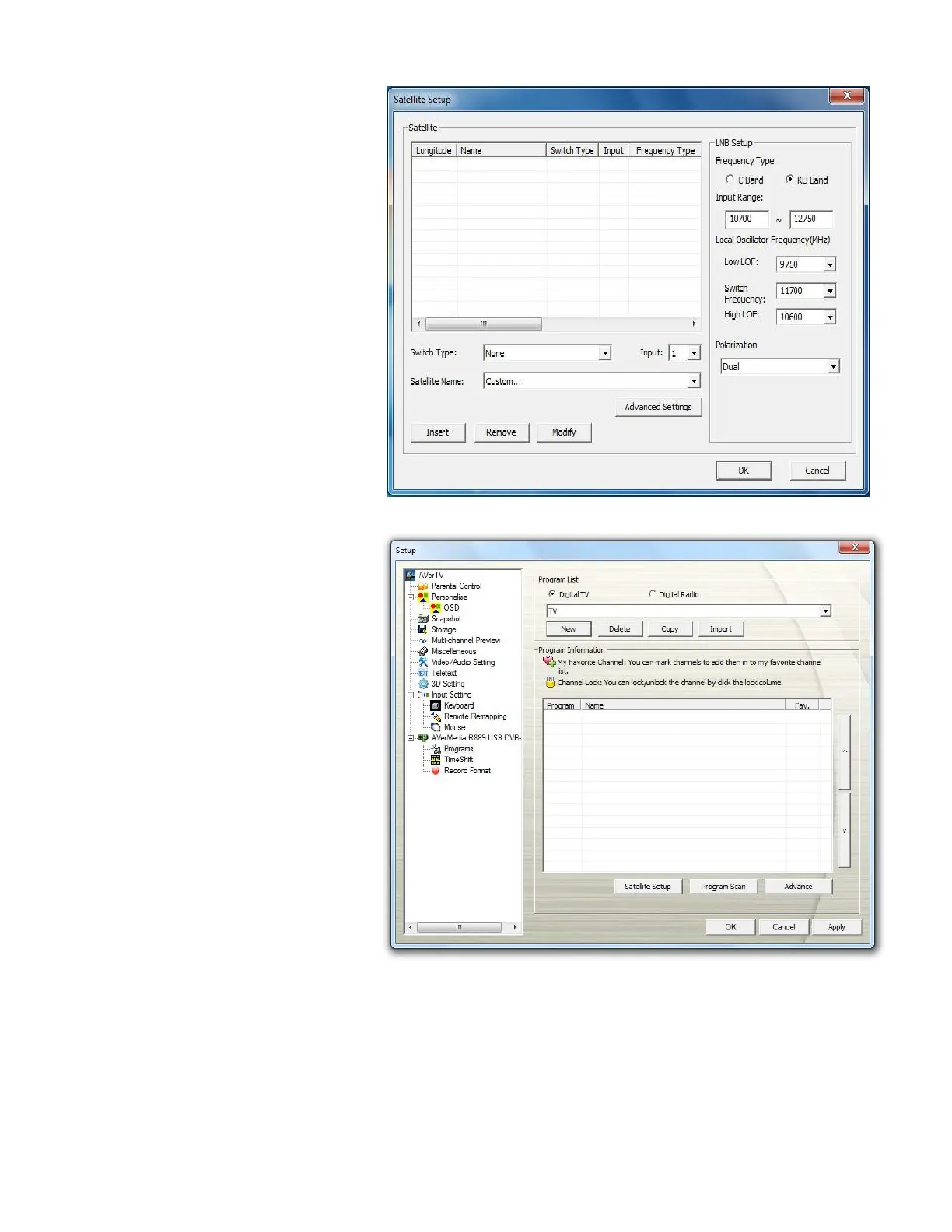
8. Configure the information
of Satellite Name and LNB
Setup. If you use a switch,
select the Switch
Type and Input port number;
otherwise, ignore them. Then
click Insert.
9. Repeat the previous step if
you want to add more other
satellites for channel
scanning.
10. Click OK.

11. Click Program Scan to
search for available
channels/programs in your
area.

Table of Contents