AVerMedia Technologies Inc.
83
or
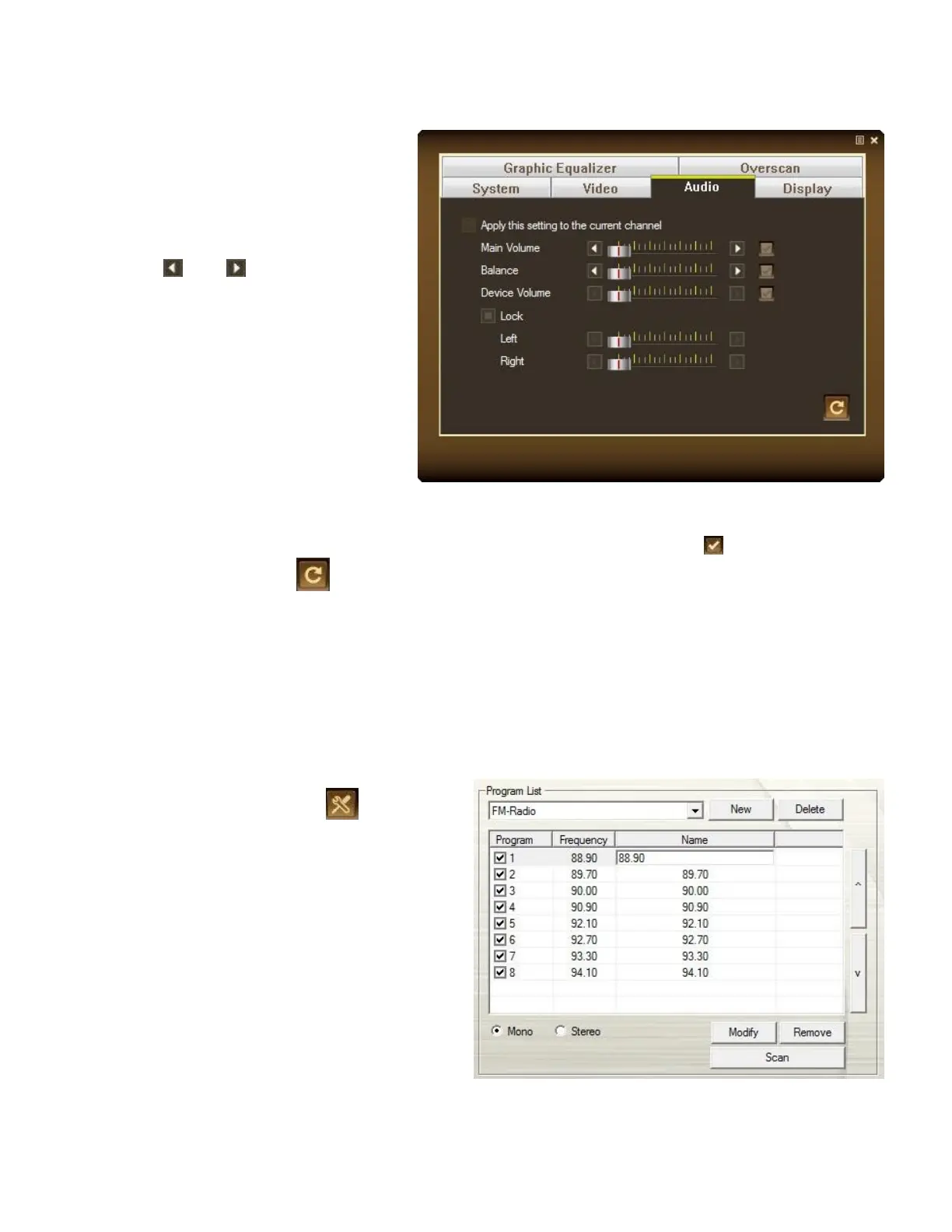
1. Right click on the TV monitor.
When a pop-up menu appears,
select Individual Channel
Setting.
2. When a dialog box appears,
select Audio tab.
3. Use and to adjust the
system volume or the device
volume.
4. If you just want to adjust individual volume level, select Apply this setting to the current
channel and repeat step 3 to increase or decrease volume.
5. To apply the converted settings to all channels, click Apply All button .
6. Click Default button if you want to revert the factory settings.
Modifying a Radio Name
You can manually modify any exiting Radio channel
1. Click the Setup button and
select Setup > Radio.
2. Double click on Name column of the
existing FM channel which you want to
modify.
3. Enter the name or description you want
in the provided text box and then
press Enter.
4. To modify more channels, repeat step
2 to 3.
5. Click Apply to save the setting and
click OK to exit the current dialog box.



 To Next Page