AVerMedia Technologies Inc.
29
[Hybrid] Watching TV
To watch TV, please first make sure you select the correct Country/Region, and scan the
channels. What you can watch depends on the product you purchase and the TV signals available
from your local television service providers.
Scanning Channels
If you do not complete the channel scanning when you first run the application, please follow these
steps to complete this procedure.
All the screen shots in this documentation are only example images. The images may vary
depending on the product and software version.
To scan channels
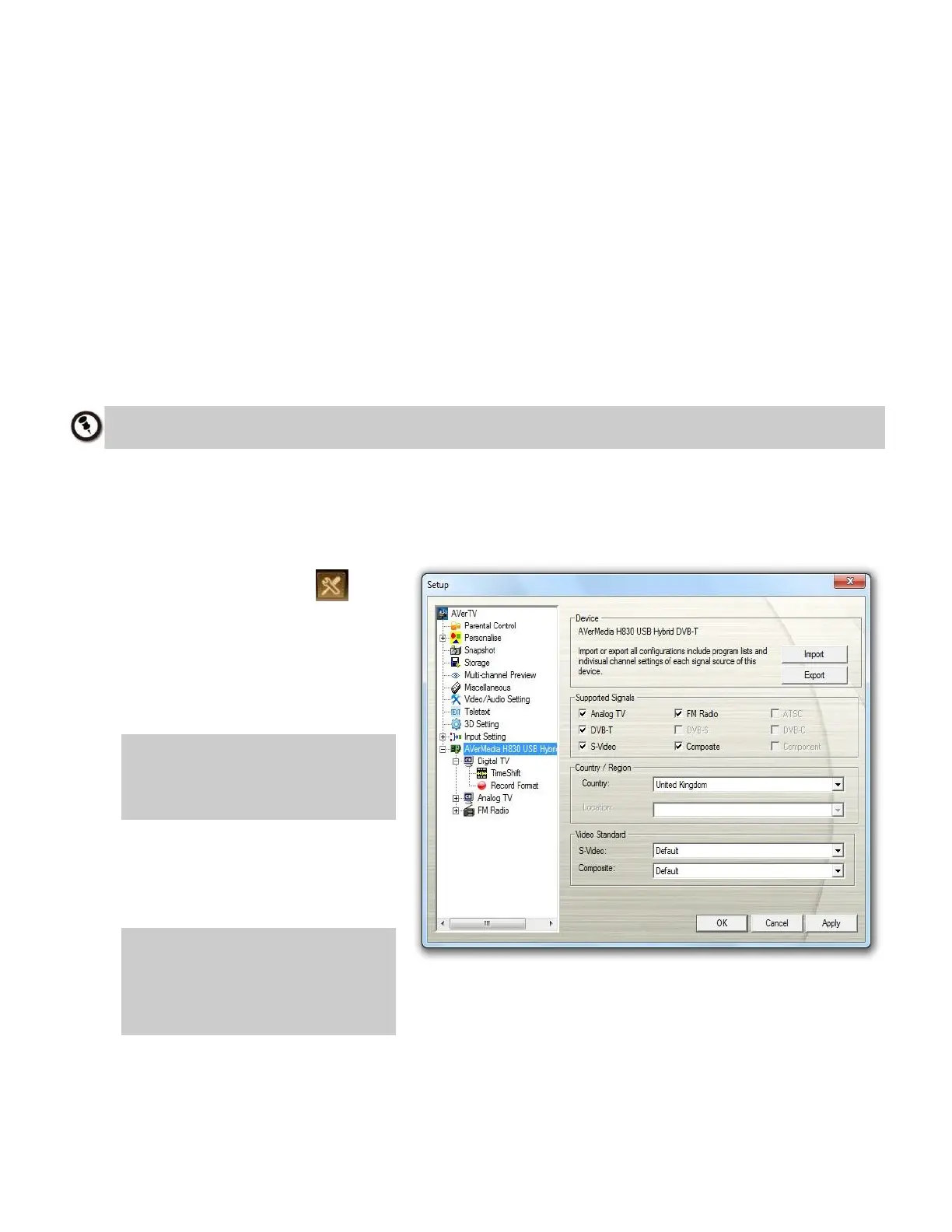
1. Click the Setup button on
the control panel and
select Setup. Choose an
available AVerMedia device in
the left pane (for example,
AVerMedia A836).
NOTE: Items in the left pane of
the Setup page may vary
depending on the product you
purchase.
2. Select the correct
Country/Region from the drop-
down menu.
NOTE: All supported signals of
your product are listed in
the Supported Signals area.
Selected items may vary
depending on the product.



 To Next Page