AVerMedia Technologies Inc.
75
Scheduler
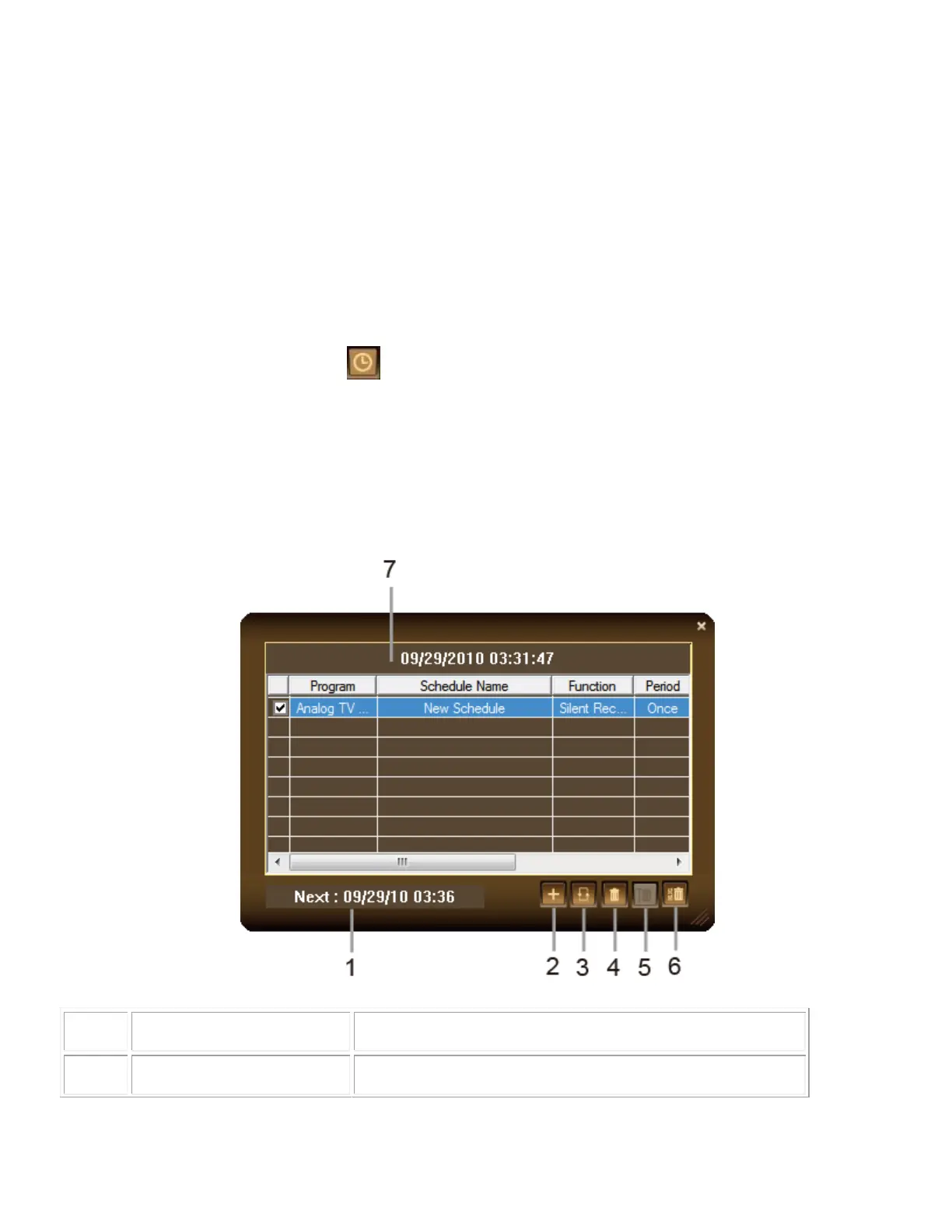
The Scheduler allows you to create a list of preset schedules for watching and recording your
favorite TV/Radio programs. You can set the day and time to record the TV/Radio program and
specify the length of recording.
Scheduler Controls
To run this application
1. Click the Schedule button on the Control Panel. Then the Scheduler dialog box will
appear.
2. The check box next to the Program column indicates the schedule will be executed at a
preset time. Once the application starts to execute a scheduled task, the system will clear
the check mark automatically. If you want to skip the schedule temporarily, just clear the
check box.
Show the next schedule activation time.



 To Next Page