AVerMedia Technologies Inc.
69
Recording and Playback
You can use your computer as a digital video recorder, and record your favorite TV programs or
capture video from an external source to your hard drive. You can also divide the recording files in
proper sizes to facilitate burning onto removable optical media, such as CD-R and DVD discs.
Recording Controls
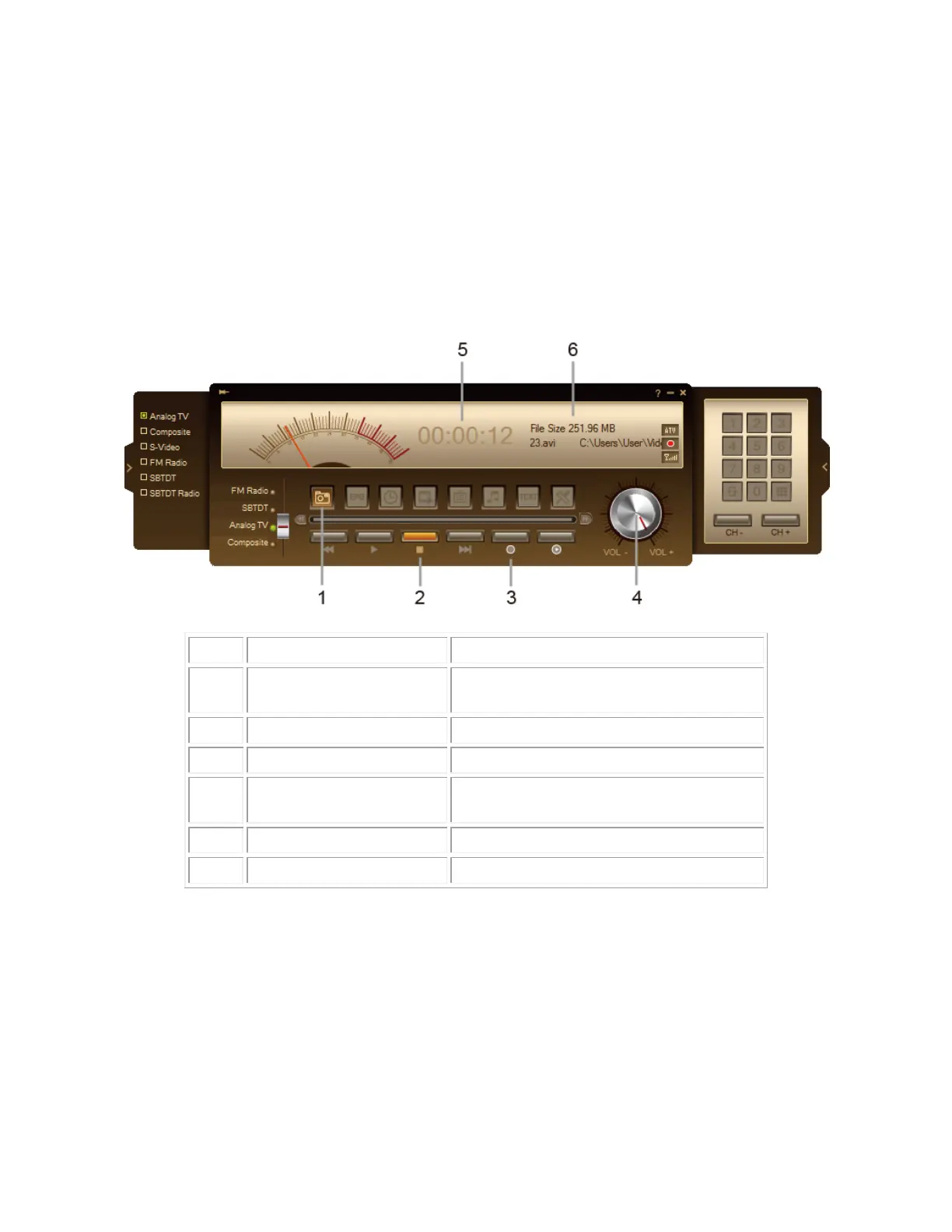
Use the following button controls for recording and video playback.
Capture a single image or a sequence
of images.
Click to stop recording or playback.
Record the current program.
Drag your mouse up/down to
increase/decrease the volume level.
Show recording duration time.
Show recorded file information.



 To Next Page