AVerMedia Technologies Inc.
44
Adding and Deleting Program List
A program list allows you to switch only among the selected channels when pressing the Channel
Up/Down button.
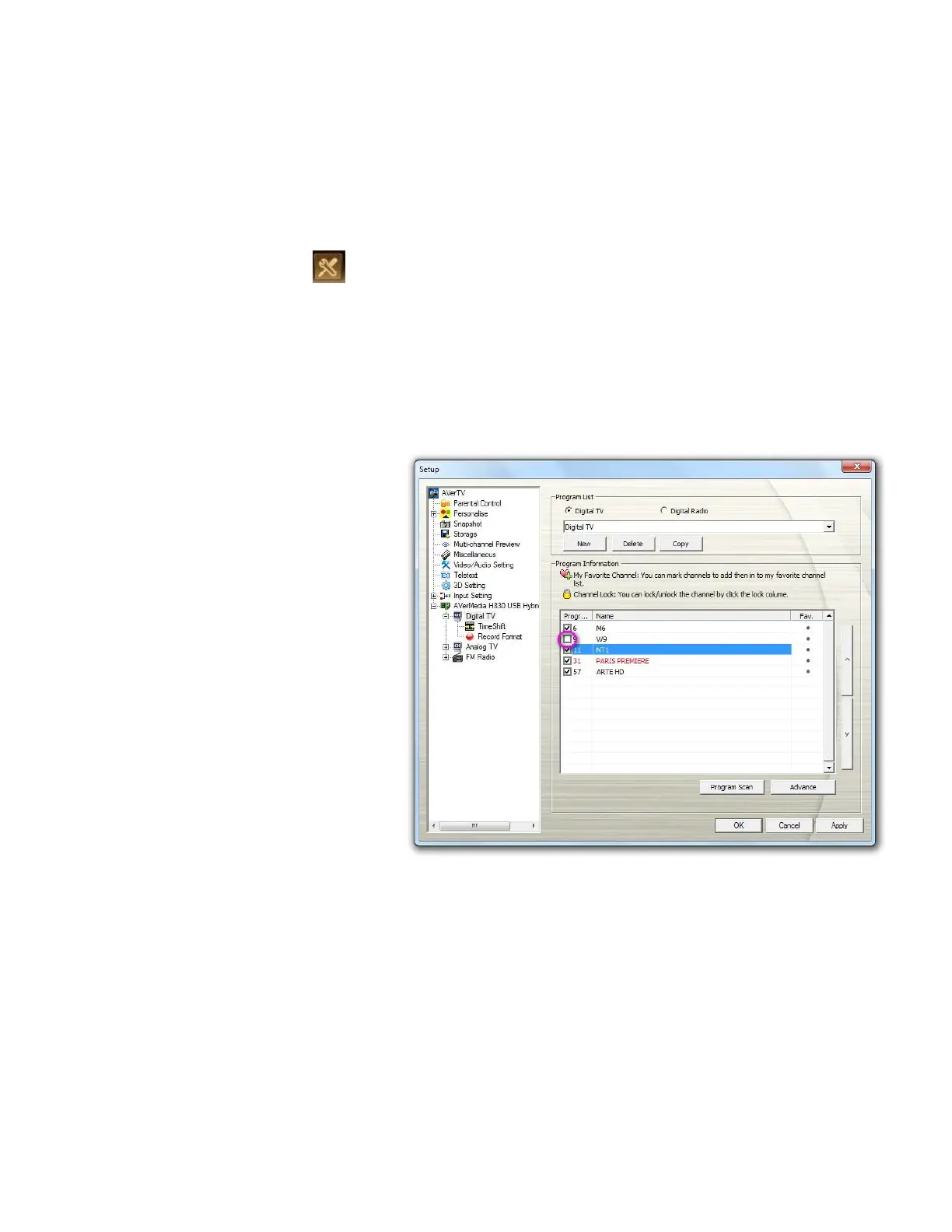
To add a new program list
1. Click the Setup button and
select Setup. Then choose
your desired signal input on the
left pane.
2. Click New and the Program
List dialog box appears.
3. Type in a program list name
and click OK.
4. Click Program Scan and
click Yes to continue the
scanning process.
5. Available channels will then be
listed in the Program
Information and now you can
delete the unwanted programs
by clearing the check box.
6. Click Apply to save the setting
and click OK to exit the current
dialog box. Or you can
click Cancel to abort without
saving.
7. You can switch to other
different saved program lists
from the drop-down list in the
Program List area.
If you don’t want to scan programs every time creating a new program list, you can use
Copy function.
To use Program List Copy function



 To Next Page