AVerMedia Technologies Inc.
43
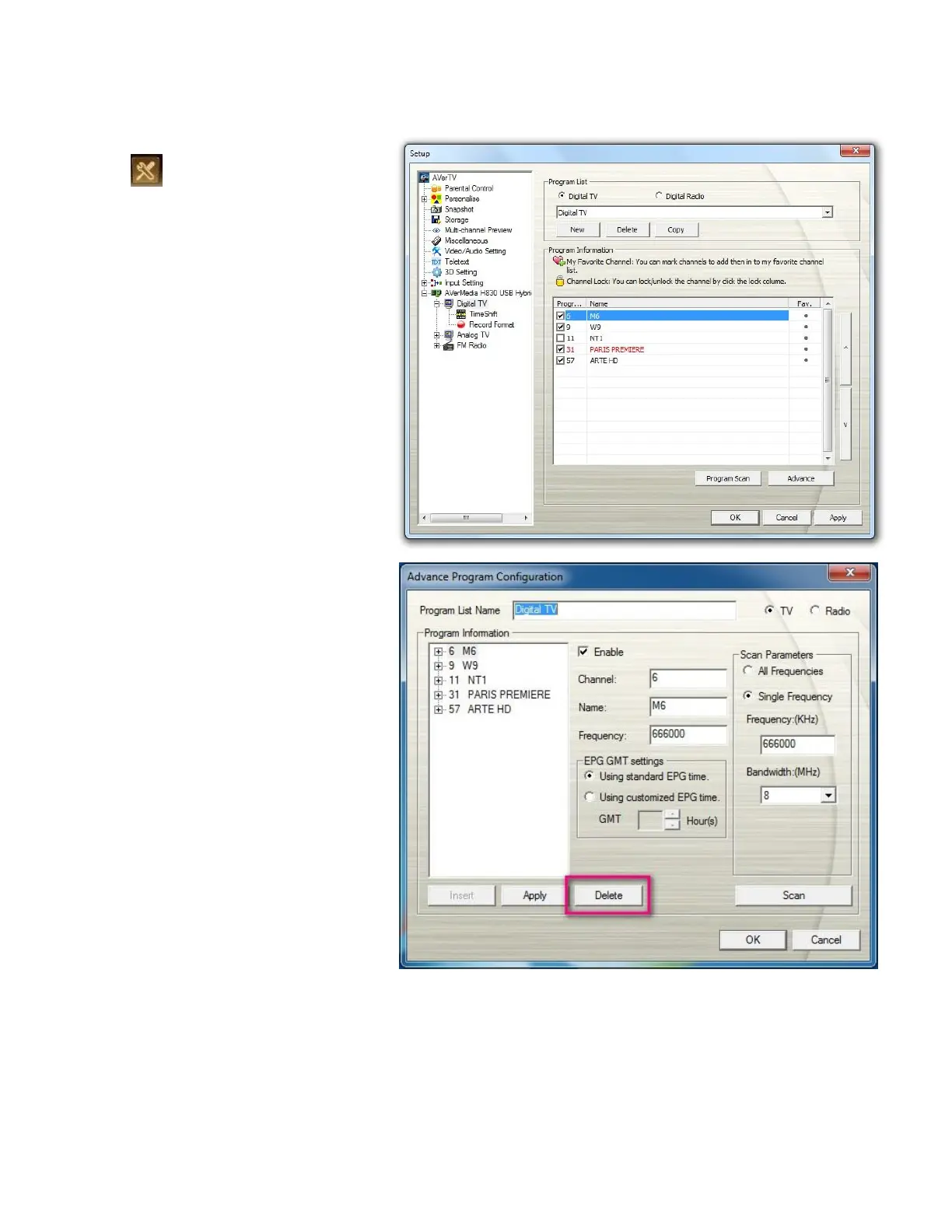
To exclude unwanted channels from your scanned channel list
1. Click the Setup button
and select Setup. Then
choose your desired signal
input on the left pane.
2. Click Advance. Then
the Advance Program
Configuration dialog box will
appear.
3. In the Program Information
section, select the unwanted
channel and then click
Delete. This channel will be
removed and that means you
won’t be able to access these
programs anymore.



 To Next Page