AVerMedia Technologies Inc.
84
Adding and Deleting Radio Program Lists
Selecting a program list allows you to switch between the channels of the selected program list
only when pressing the Channel Up/Down button.
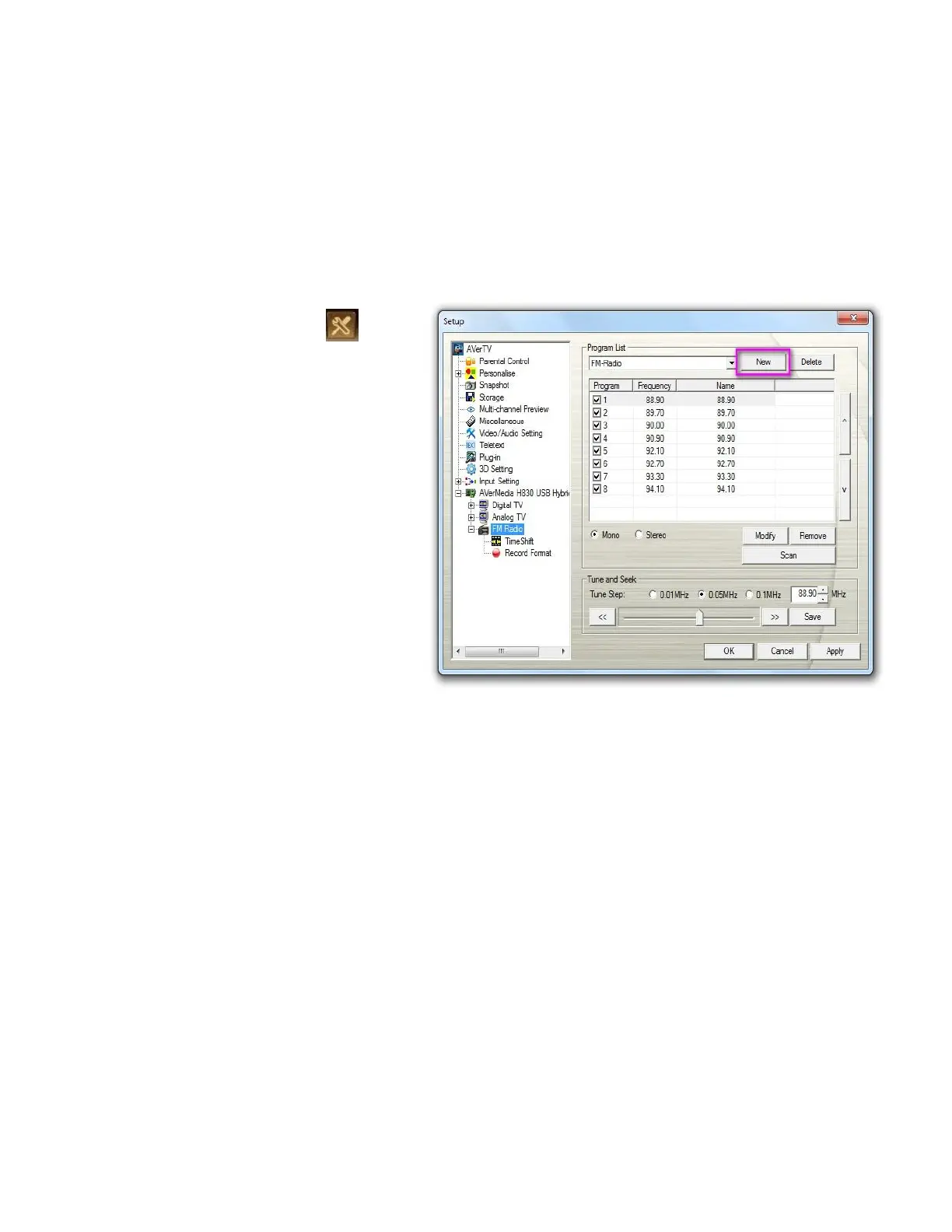
To add a new program list:
1. Click the Setup button and
select Setup >Radio.
2. Click New and the Program
List dialog box appears. Type in
a program name and click OK.
3. Now you can start to scan Radio
channels and manage the
scanned FM data for this new
program list. For more
information, refer to Auto
Scanning Radio Channels.
4. To add more program lists,
repeat the previous steps.
To delete a program list:



 To Next Page