AVerMedia Technologies Inc.
85
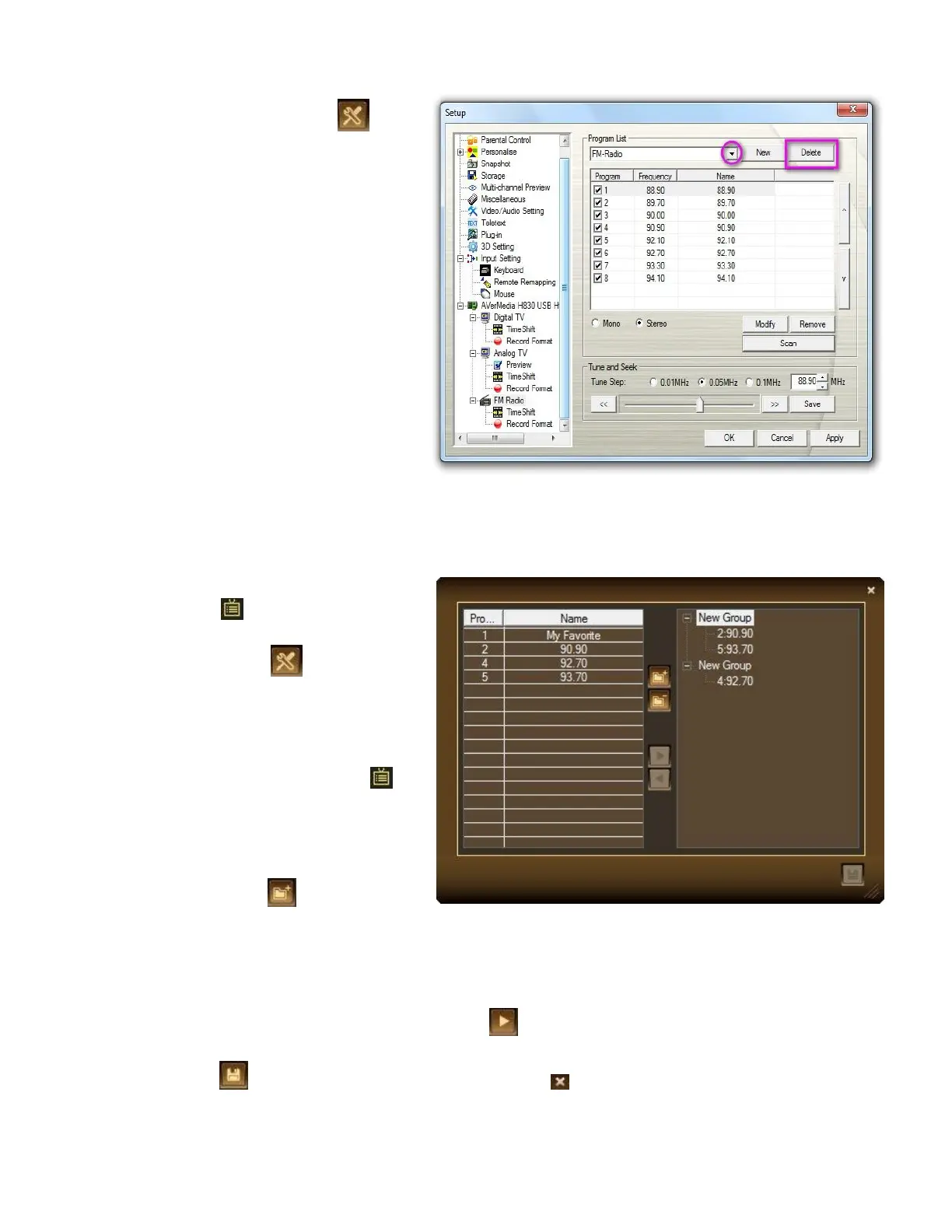
1. Click the Setup button and
select Setup >Radio.
2. From the drop-down menu,
select the name of the program
list that you want to remove.
3. Click Delete to remove the
selected program list.
Creating and Deleting Radio Channel Groups
To add a new channel group:
1. Click the Program
List button on the control panel.
Select Program Group. Then click
the Setup button .
Or
Click the Program List button on
the control panel. Select Program
Group Setting.
2. When a dialog box appears,
click New button .
3. Specify the desired name in the text
box.
4. Click on the desired channel, and then click to add your selection to the desired group.
Or drag the selected channels and drop them to the desired group.
5. Click Save to save the settings or click Cancel to abort without saving. If you want to



 To Next Page