AVerMedia Technologies Inc.
65
[Hybrid] TimeShift
The TimeShift function performs background recording of a TV/Radio program, and lets you return
and watch any part of the recorded program. At the same time, the live TV/Radio program
continues to be recorded and played back so you won’t miss any part of the show. You can also
advance forward to skip commercials or rewind to replay scenes one more time.
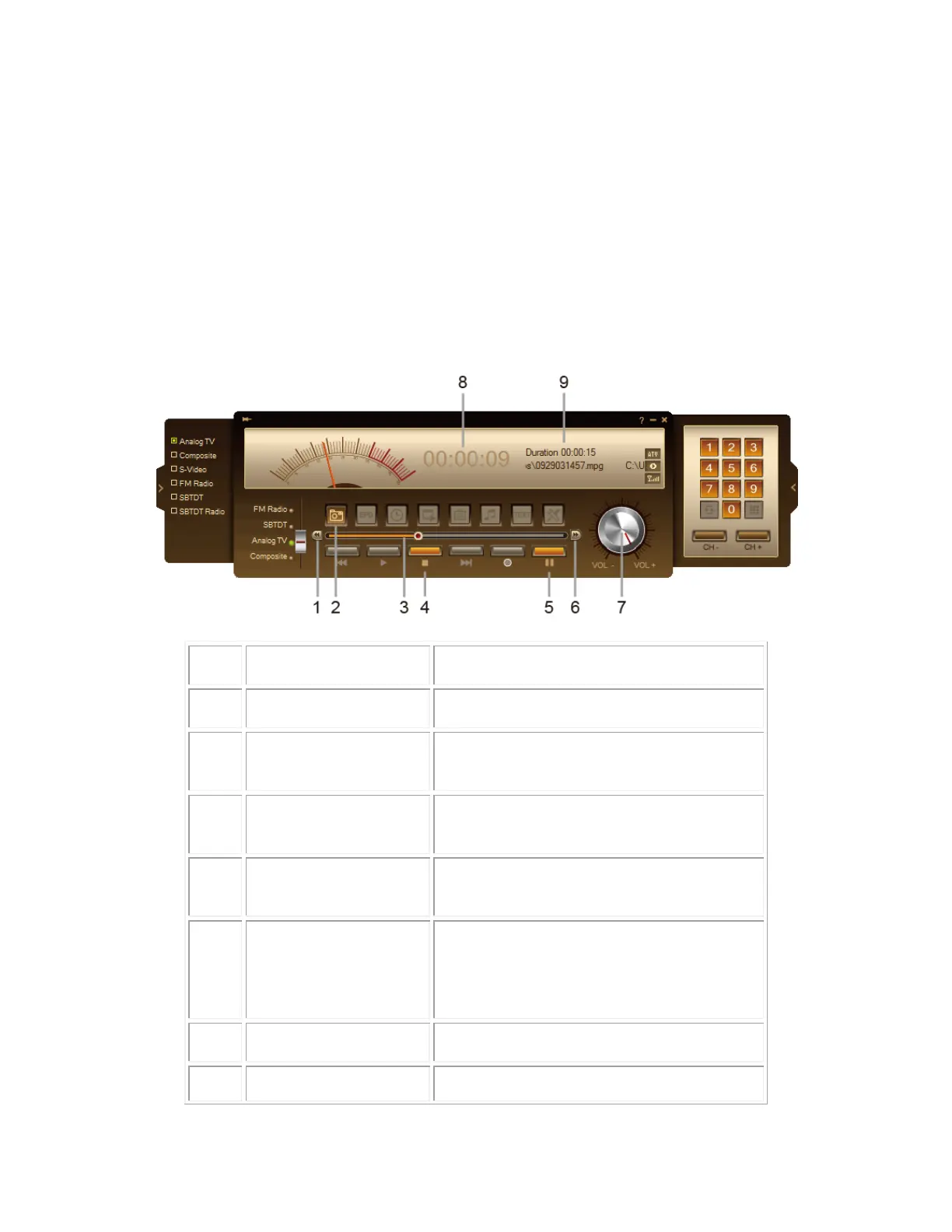
TimeShift Controls
Use the following button controls in the Control Panel to start recording a live program, play back
the program from where you left off, advance forward, rewind, and more.
Click to move backward in intervals
Capture a single image or a sequence of
images.
Drag the slider tab to move to any part of
the recorded program.
Click to terminate recording and return to
the live program
Click to perform background recording of
the live program and play it back
simultaneously. / Click to temporarily
freeze the playback.
Click to skip forward in intervals
Drag your mouse right/left to



 To Next Page