AVerMedia Technologies Inc.
82
Encryted channels (eg. pay TV channels) are in red text.
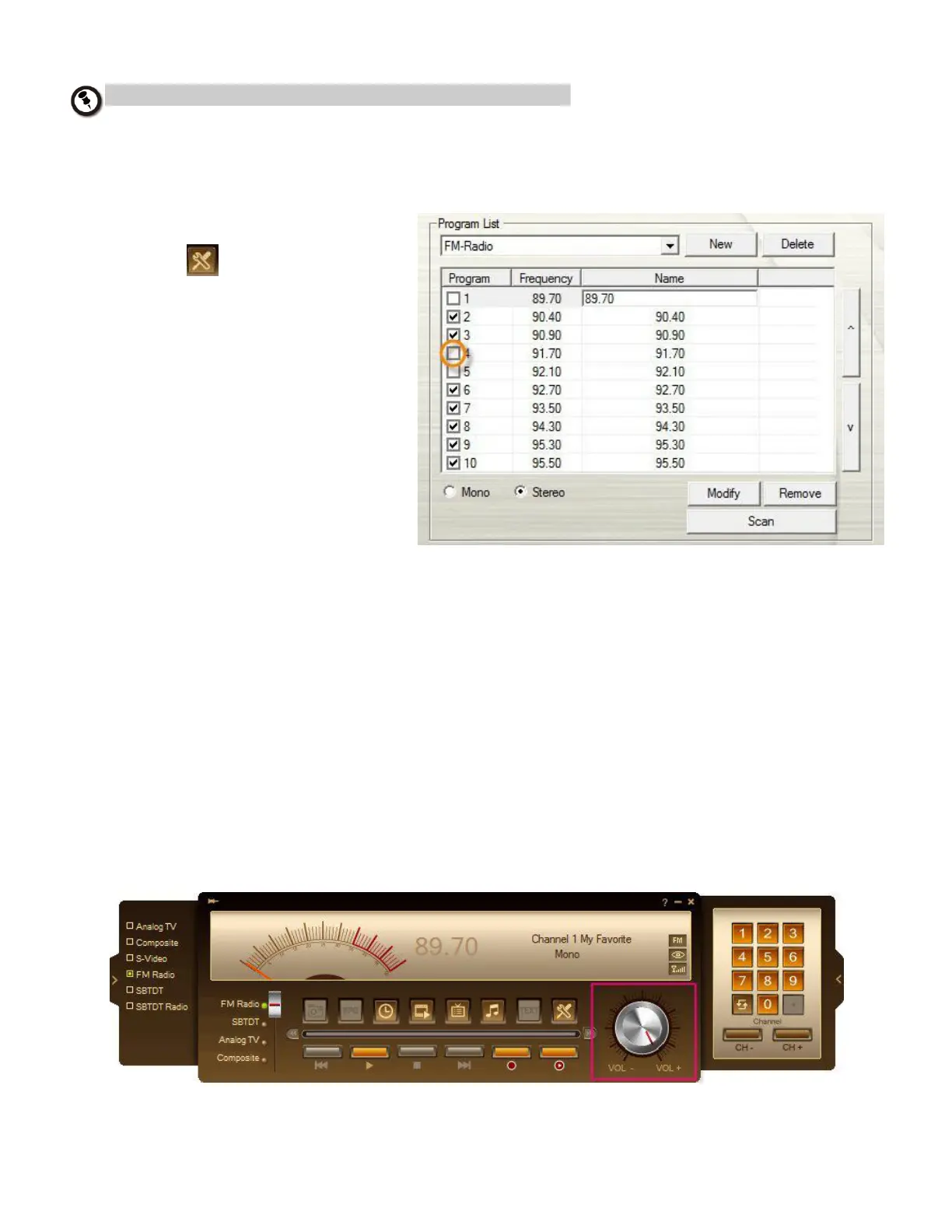
Skipping Unwanted Radio Channels
To exclude undesirable channels from your channel list
1. Click the Setup button
and select Setup
> Radio icon on the left
pane.
2. In the Program column,
click the unwanted
channel. The check mark
will be removed, indicating
that the channel will be
excluded from your
channel list and that you
won’t be able to access
and hear them through
the Channel
Up/Down button.
Adjusting Radio Volume
To increase or decrease the volume level
Click and drag your mouse over the Volume knob on the control panel.
or
Press the + / – keys on the numeric keypad to adjust the volume.



 To Next Page