AVerMedia Technologies Inc.
50
EPG (Electronic Program Guide)
Analog EPG
Electronic Program Guide (EPG) is a service that allows you to check the next succeeding
program schedule and even the program schedules of the whole week.
For Analog TV, the EPG needs to be imported manually.
To import analog EPG for the first time
1. If the analog EPG service is
provided in your
region/country, go to the TV
website of your region/country,
and download the EPG files
(*.ndx, *.pdt, *.avr).
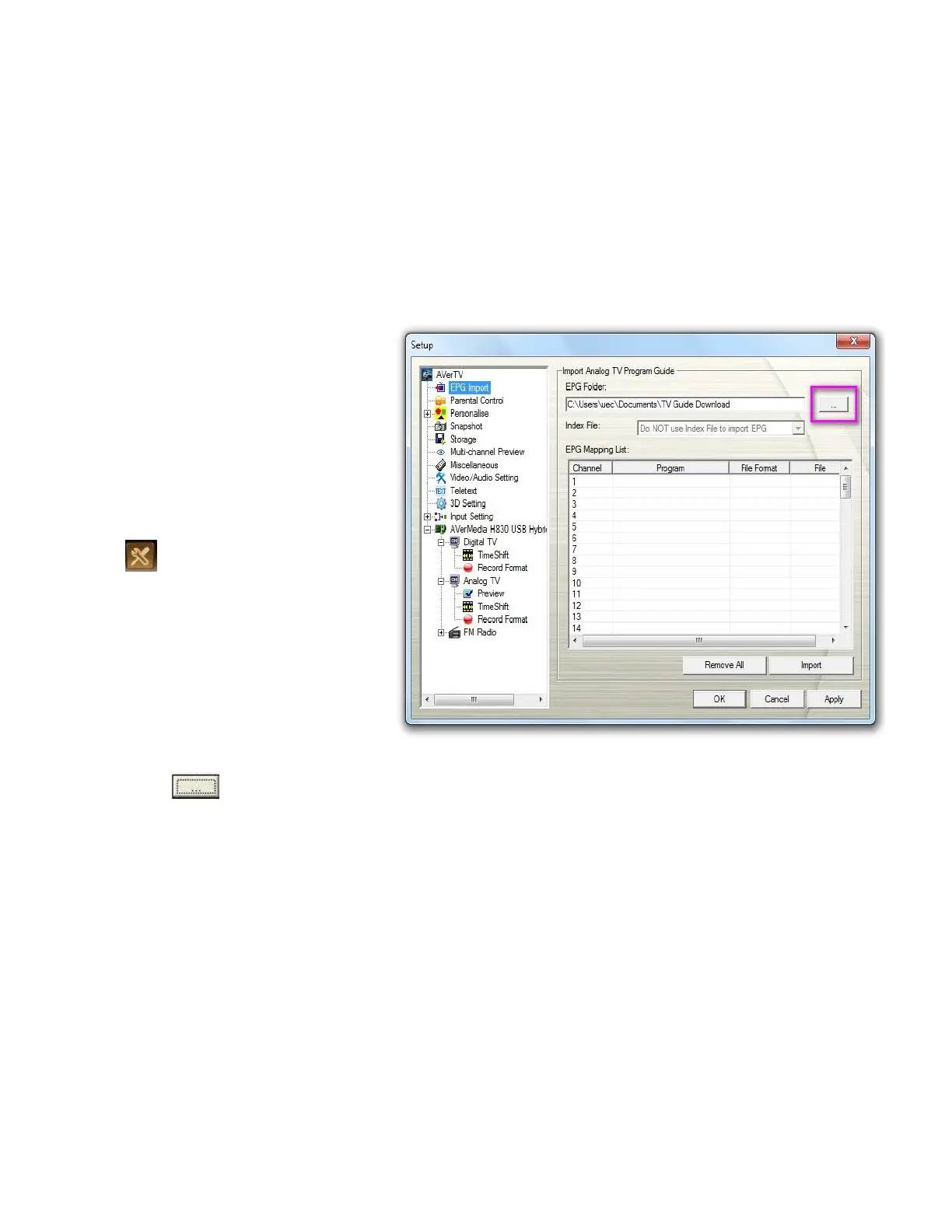
2. Click the Setup button
and select Setup. Then
click on the EPG Import icon
on the left pane. (Please note
the EPG Import icon only
appears when you
select Russia as your country
in Country/Region section.
3. Click to choose the
designated folder in which the
EPG files (.ndx or .avr) are
saved.



 To Next Page