AVerMedia Technologies Inc.
48
Changing Display Language
You can change the display language you use in AVerTV 3D.
Follow the steps below to change the language displayed in AVerTV 3D:
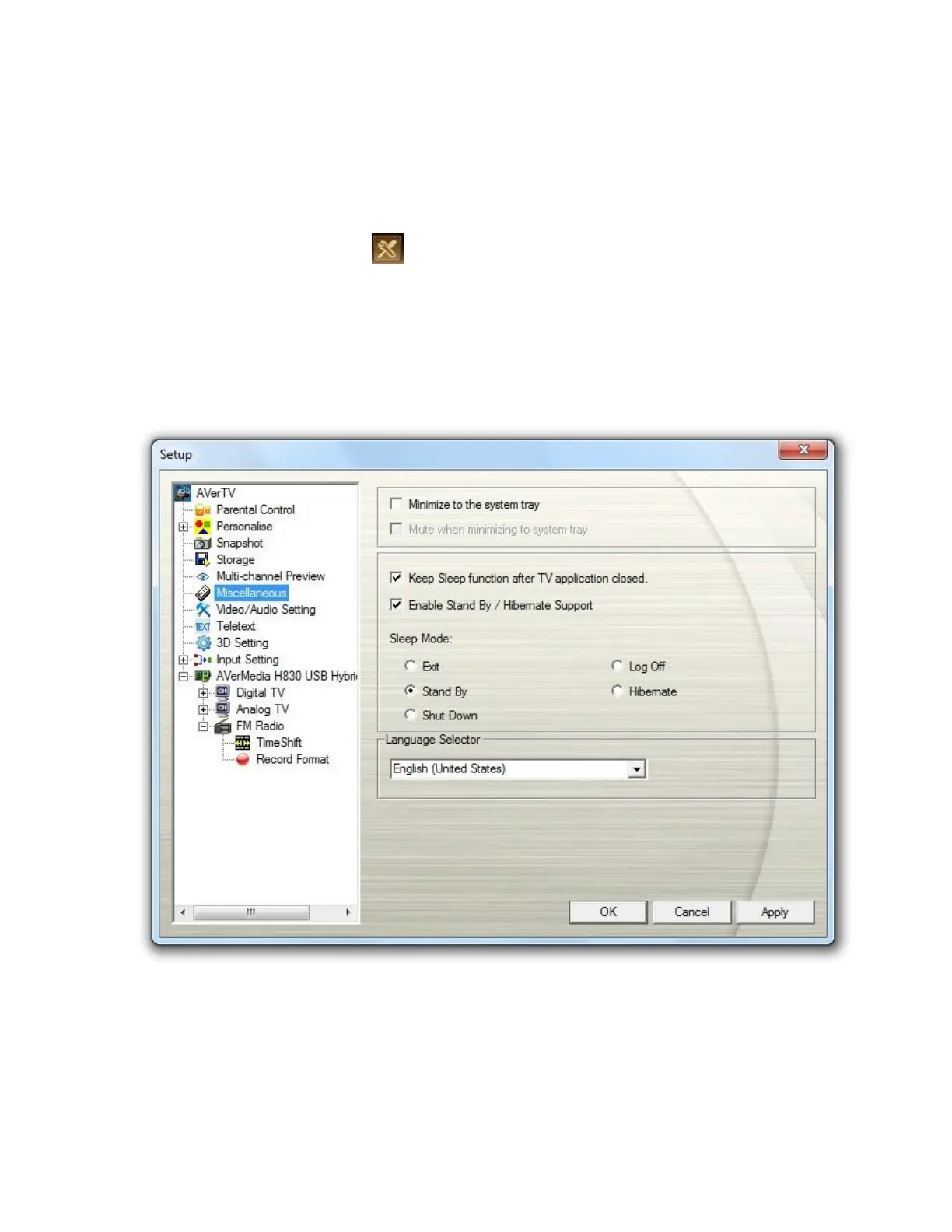
1. Click the Setup button and select Setup > Miscellaneous.
2. From the Language Selector drop-down menu, select the language
3. Click Apply to save the new settings and click OK to exit the current dialog box. Or,
click Cancel to use the original settings.
4. Reopen the Setup window for the changes to take effect.
5. AVerTV 3D will display in the language that you chose.
or



 To Next Page