AVerMedia Technologies Inc.
51
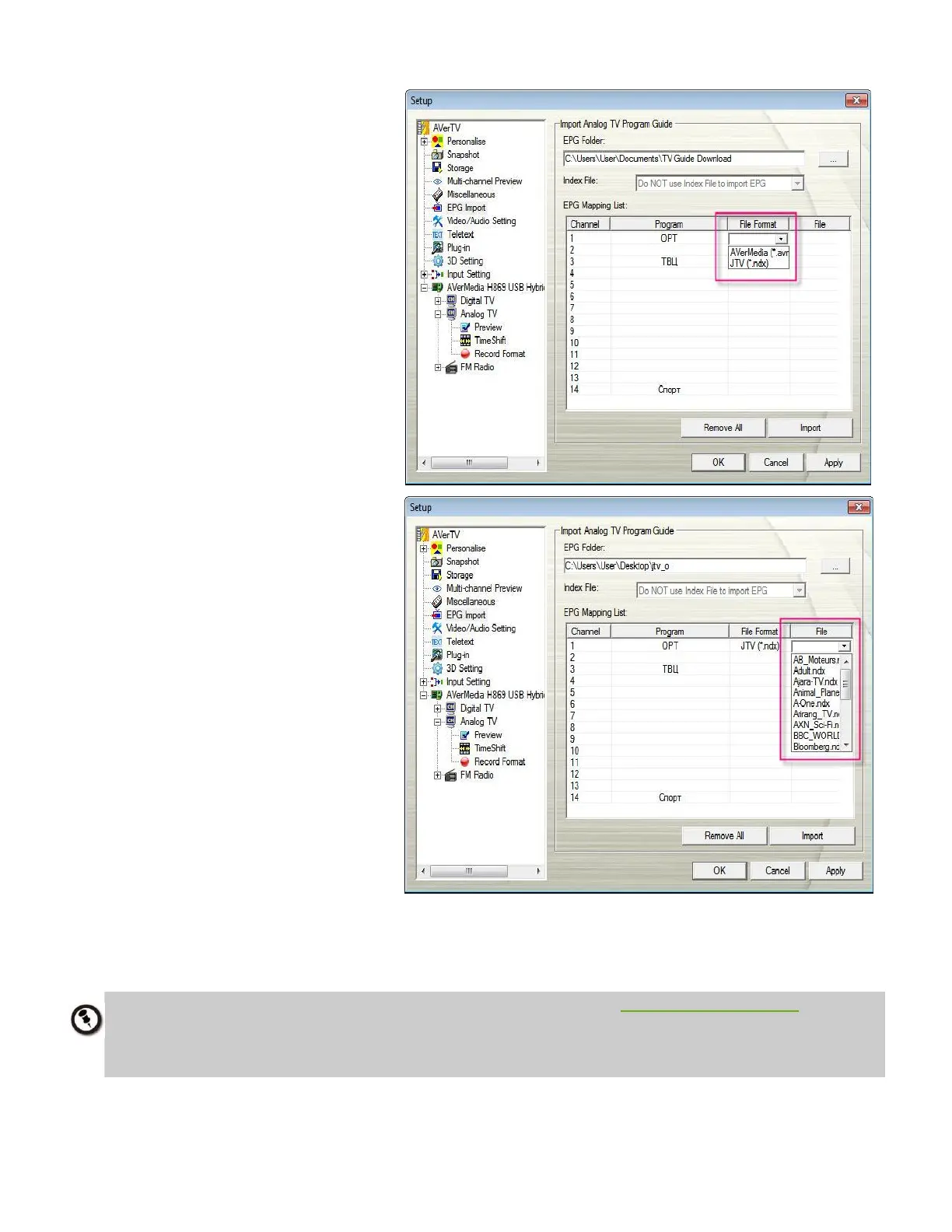
4. Then double click on the
space under File Format to
select the file format (.ndx
or .avr) from the drop-down
menu.
5. Then double click on the
space below File to choose
the designated file to insert.
6. Each file refers to the TV
programs of one channel.
7. Click Import button to
complete EPG import.
8. Then click Apply to save the
imported EPG.
1. JTV format EPG TV guide (*.ndx and *.pdt) can be found at http://www.teleweb.ru.
2. After importing analog EPG for the first time, the channels you’ve chosen to import will be
saved and listed in the EPG Mapping List. However, you still need to click on Import button to
update and get the latest EPG information.



 To Next Page