AVerMedia Technologies Inc.
52
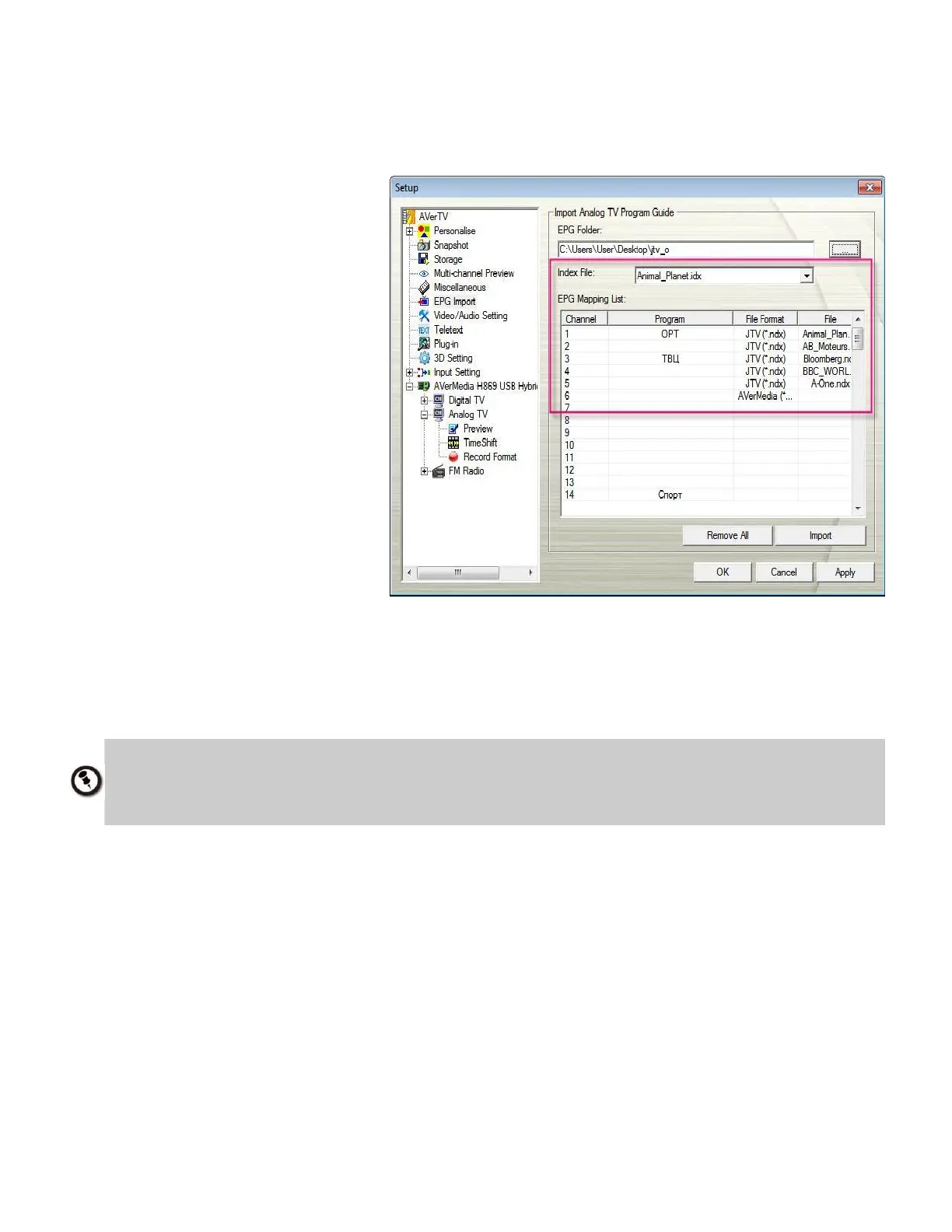
If you have the Index File, the Index File drop-down menu will be available for your selection.
To import the Index file
1. First you must have the EPG
Index File (*.idx) and the EPG
files (*.ndx, *.pdt, *.avr).
2. Then put the index files and
EPG files in the same folder.
3. Choose the index file from the
drop-down menu. Once you
select the index file, you will
see the EPG data of the index
file in the EPG Mapping List.
4. Click Apply to save the
imported EPG.
1. The Index file format (.idx) can be edited by users. For more information, please refer
to Appendix. 2. After you import the index file, you can still add more EPG files (*.ndx, *.pdt,
*.avr) in the EPG Mapping List. After clicking the Apply button, all EPG files will be saved in
the index you have chosen.



 To Next Page