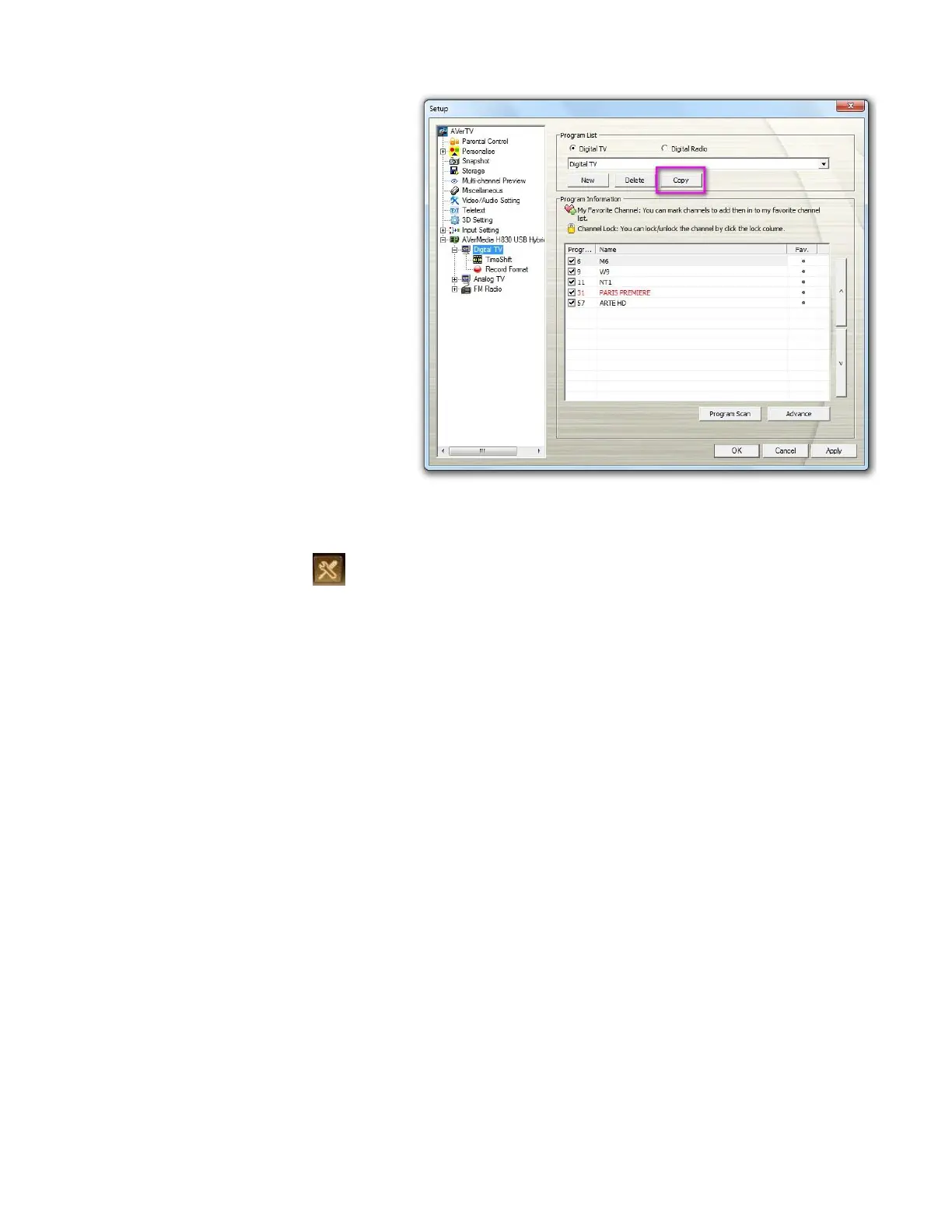
1. From the program drop-down
menu, select the program list
that you want to duplicate.
2. Click Copy and the Program
List dialog box will appear.
3. Type in desired name and
click OK.
4. Finally, just like the steps
described above, clear the
check mark next to the
unwanted channels.
1. Click the Setup button and select Setup. Then choose your desired signal input on the
left pane.
2. From the program drop-down list, select the name of the group that you want to remove.
3. Click Delete to remove the selected program list.



 To Next Page