Chapter 5: Configuring Pro Tools | Sync X 25
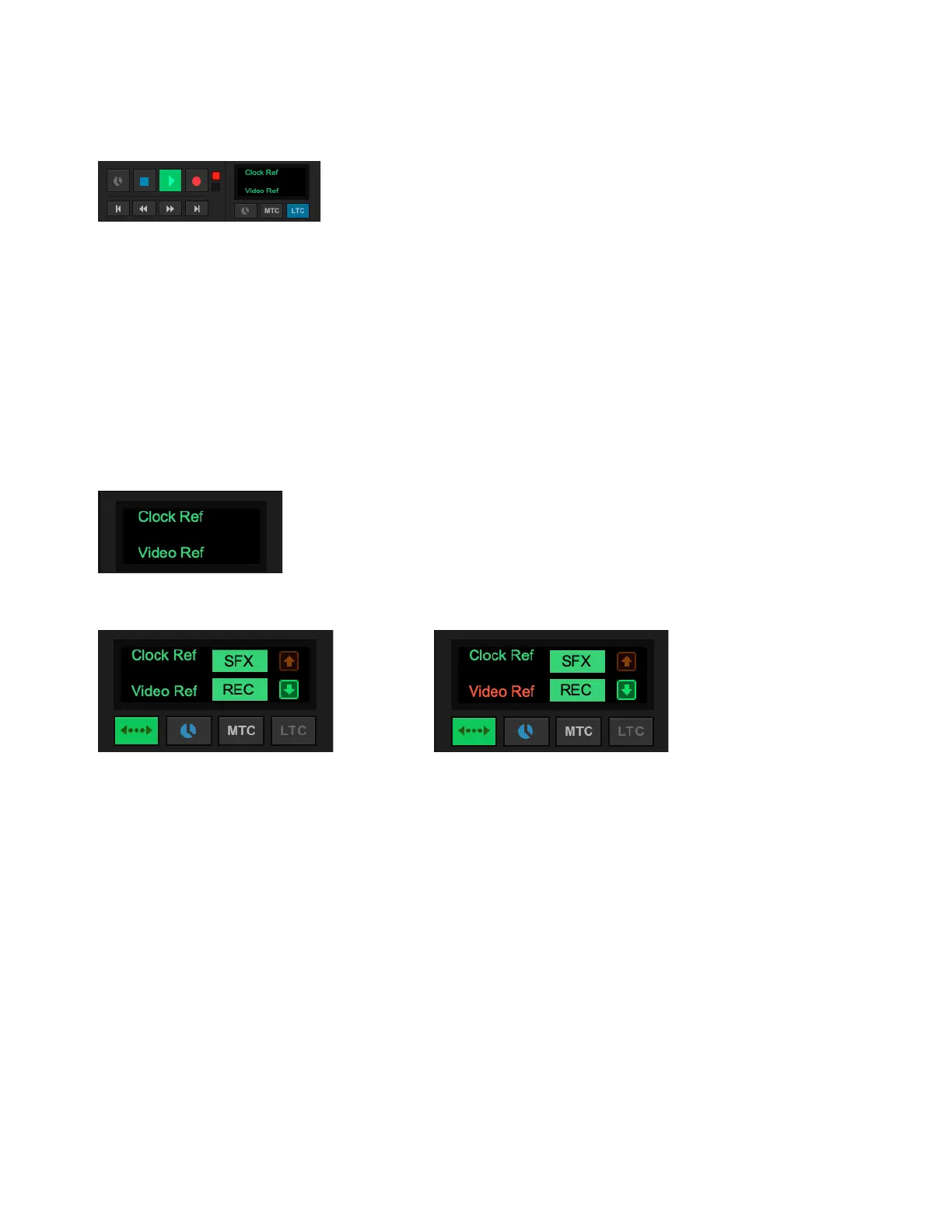
To show Synchronization view in the Edit Window toolbar, do one of the following:
In the Edit Window menu, select Synchronization.
Right-click in the Edit Window Toolbar menu and select Synchronization.
Generating LTC and MTC
With Pro Tools | Sync X connected and configured, Sync X generates both LTC and MTC when GEN LTC is enabled (see Gen-
erating and Regenerating Timecode).
GEN MTC, however, has no effect on Sync X. It is used only for generating MTC from Pro Tools using a separate MIDI interface.
Clock Ref and Video Ref Status Indicators
With Pro Tools | Sync X connected and configured, Synchronization view also provides color coded Status indicators for Clock Ref
and Video Ref. These indicators mirror the indicators in the Session Setup window and on the front panel of Sync X. For more in-
formation, see Clock Ref Status Indicator and Video Ref Status Indicator.
Synchronization view in the Edit Window toolbar, LTC enabled
Synchronization view, Clock Ref and Video Ref Status indicators: Locked and Generating
Synchronization view on a Satellite system, Clock Ref and Video Ref Status indicators: Locked to External sources (left),
Clock Ref Locked, but Video Ref Not Locked (right)












 To Next Page