IFD400 Series Pilot Guide
Map Subsystem 3-35
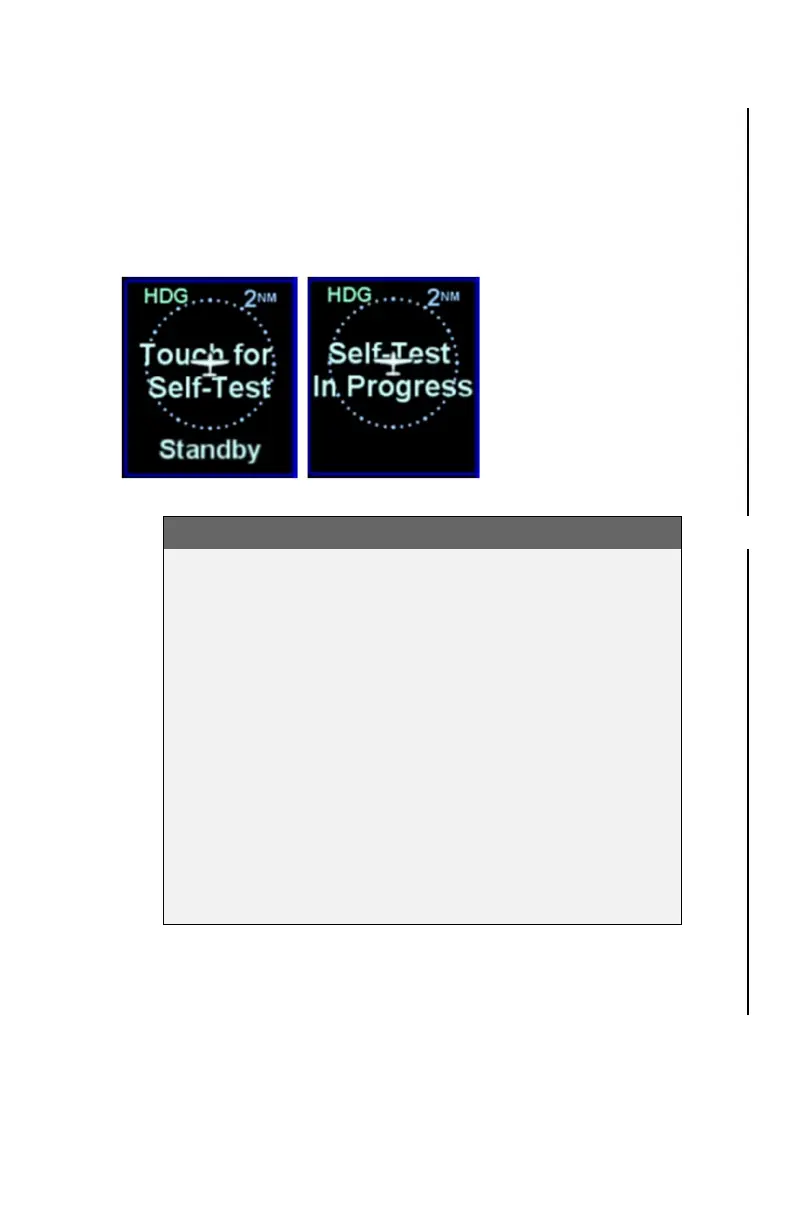
used to command the Skywatch to perform a self test. The
thumbnail will show the message "Touch for Self-Test" within the
range rings typically used to show traffic. To initiate the self test,
touch over the message. During the self-test, the thumbnail will
show the message "Self-Test In Progress", as illustrated below.
Skywatch Self Test
TIPS AND TECHNIQUES
More than one type of traffic sensor?
If more than one type of traffic sensor is present in the
aircraft, proper configuration is important.
For a single IFD installation, only a single traffic sensor
will be used by the IFD. The priority is SkyTrax100
(RS232) Capstone, TAS6XX/TCAD, ARINC429 ADS-B
Sensors, Skywatch, Other ARINC429 traffic sensor.
There is no fail-over between traffic sensors and the
priority may change in the future. Therefore, Avidyne
recommends wiring only one traffic sensor to the IFD.
For a dual IFD installation, Avidyne recommends wiring
one traffic source to one IFD and the other traffic source
to the second IFD.



 To Next Page