IFD400 Series Pilot Guide
4-72 Aux Subsystem
PRESETS
Presets provide a means to configure many IFD settings with one
operator action. In order to configure the IFD using a preset,
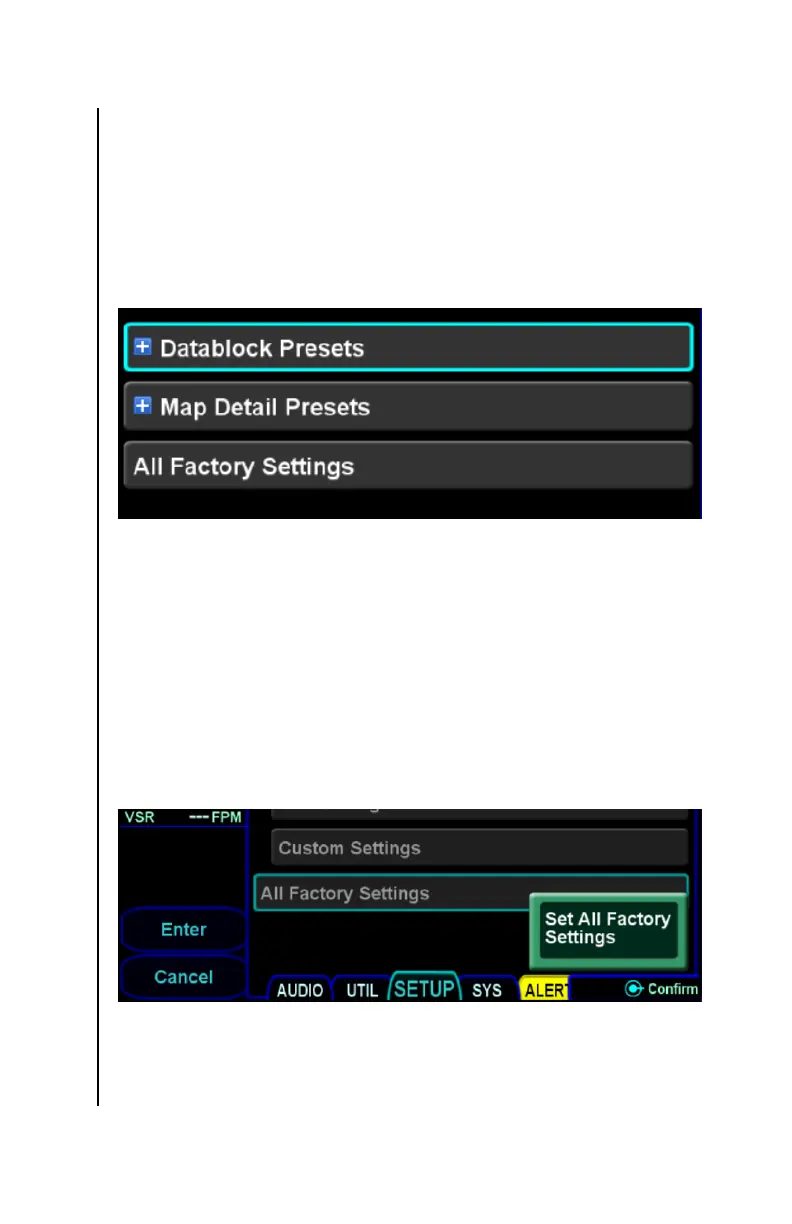
press the “Presets” LSK. The Setup Page will then present a list
of possible presets to be selected using the same category/item
organization as the main page, as illustrated below.
Setup Presets
In the picture above, the “Datablock Presets” and “Map Detail
Presets” are categories containing corresponding preset items.
“All Factory Settings”, however, is a preset item.
To configure the IFD using a preset, move the cursor to surround
the desired preset item. Then, press the right knob button, press
the ENTR button, or touch the item to select that preset. The IFD
will then present a green dialog indicating which preset will be
applied.
Preset confirmation dialog
To apply the preset, press the right knob, the ENTR button, or the
“Enter” LSK, or touch the green dialog. To abort the preset, press
the CLR button or the “Cancel” LSK. Once a preset has been



 To Next Page