IFD400 Series Pilot Guide
System Overview 1-7
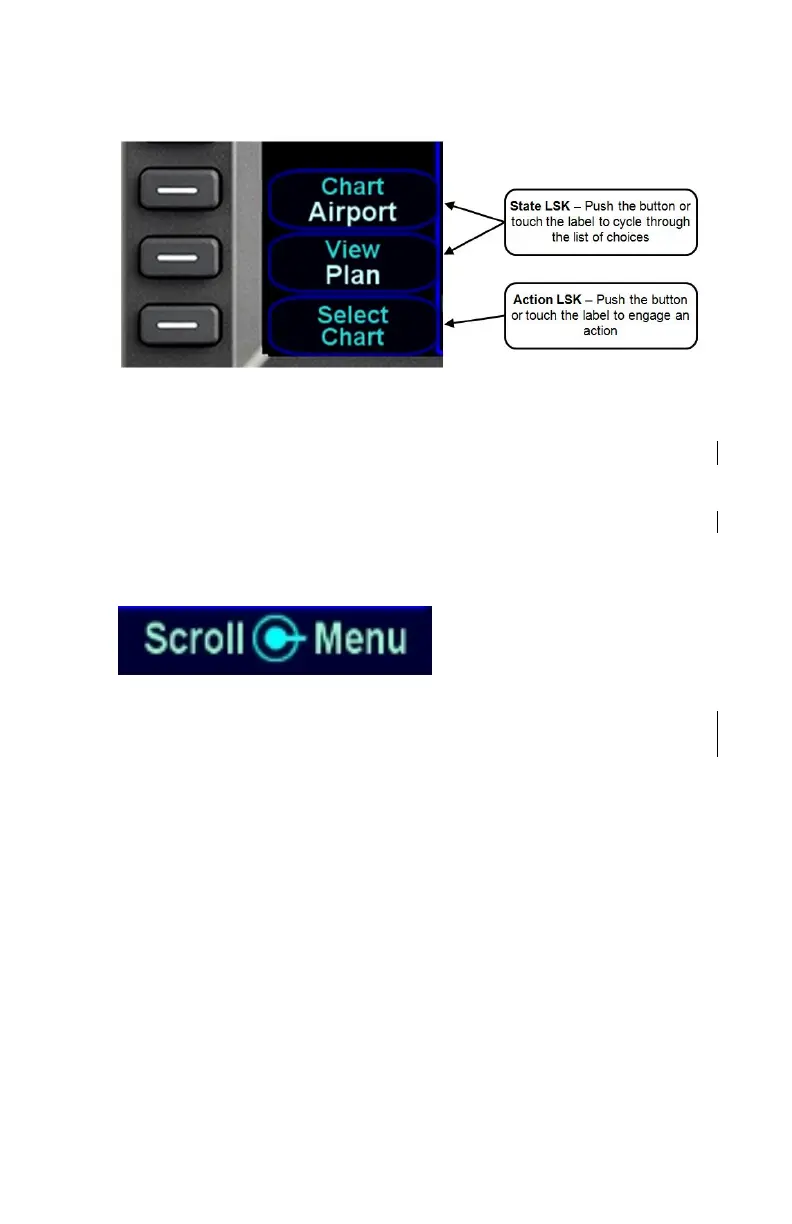
LSK Types
RIGHT KNOB LABELING
The bottom right dual-concentric knob on the IFD is context-
sensitive. Displayed in the lower right corner of the display, the
knob label indicates the function of the knobs and the knob button
on the left and right side, respectively. The symbol used to
represent the knob button is a ring with a center dot.
Right Knob Label Scheme
In the example above, the outer knob scrolls through a list in a
coarse manner and the inner knob scrolls through the same list
stopping at each minor field along the way. Pushing the knob
generates a drop-down menu.
COLOR PHILOSOPHY
There are a few generalities with the use of color that are
consistent across the IFD as described in the table below:



 To Next Page