IFD400 Series Pilot Guide
2-12 FMS Subsystem
proceeds differently based on whether the airport has a selected
runway.
If the airport has a selected runway and that runway is applicable
to the selected departure, then the FMS will choose the runway
transition corresponding to the selected runway and the
procedure is inserted into the flight plan without further pilot
action. However, if the airport does not have a selected runway
or if the selected runway is not applicable to the departure, then a
runway transition must be selected. If the departure has only one
published runway transition, the FMS will automatically select that
one and then insert the procedure into the flight plan. If there is
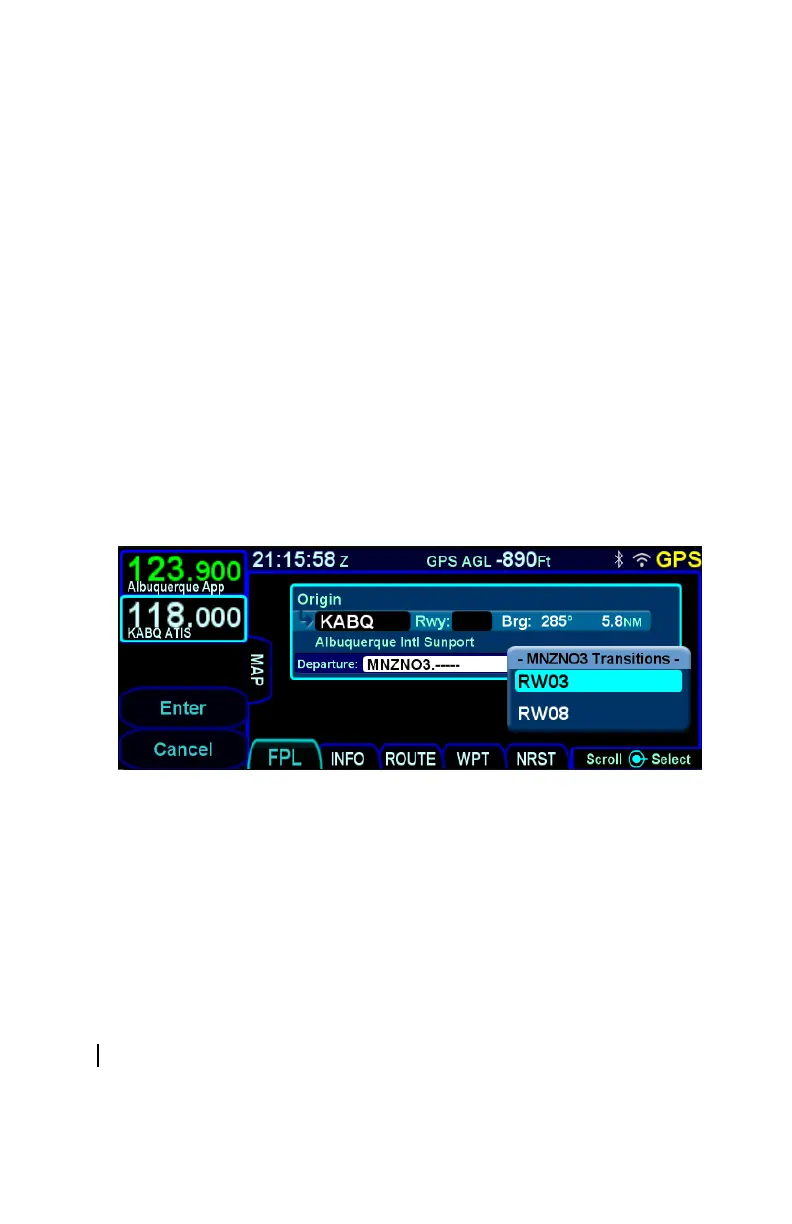
more than one published transition, the FMS will present a
dropdown menu showing all of the runway transitions and the
pilot will select the desired transition. Once that selection has
been made, the procedure and all selected transitions will be
inserted into the flight plan.
Departure Runway Transition Dropdown
If the inserted departure had a selected runway transition and
either the airport had no selected runway or the selected runway
was not applicable to the departure, then the FMS will set the
runway for the airport based on the runway transition that was
selected. There are cases where a runway transition applies to
all runways at the airport or to a set of parallel runways. In those
cases, if there was no selected runway for the airport, the FMS
will select the first runway (numerically) that is applicable.
INSERTING A WAYPOINT
To insert a waypoint into the flight plan, turn the right outer knob
until an insert cursor is positioned where the new waypoint is to
be inserted. Note that a waypoint can generally be inserted



 To Next Page