IFD400 Series Pilot Guide
FMS Subsystem 2-41
INFO TAB
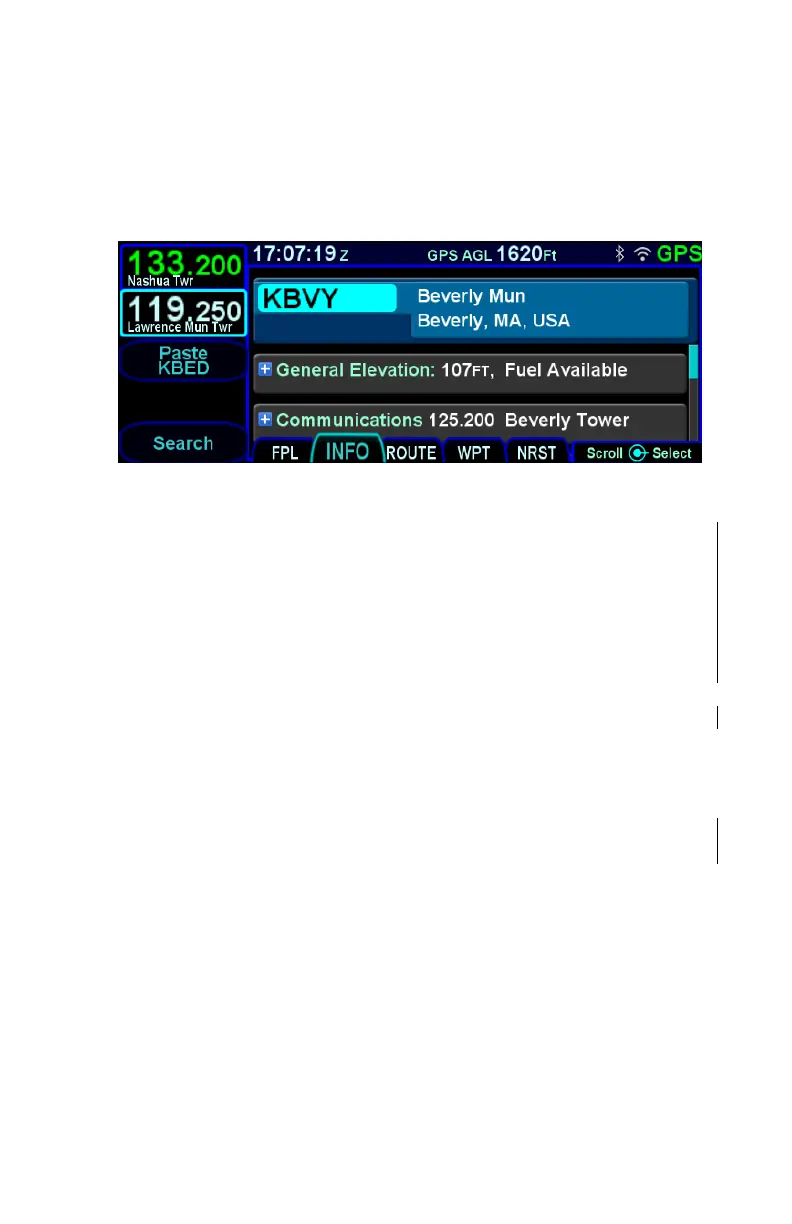
The INFO tab of the FMS page provides additional information
about airports, navaids, and waypoints.
Info Tab
The facility (airport, navaid, waypoint) to which the information
applies will always be displayed at the top of the page, and the
identifier is an editable field. To edit the identifier, use the bottom
right knob to move the cursor to the identifier field and the select
the field. If the Info tab was accessed directly from a page where
the cursor surrounded an applicable facility identifier, a Paste
LSK will appear (e.g. NRST VORs). Pressing the Paste LSK will
immediately change the contents of the identifier field. A search
function, accessible via the Search LSK is also available to help
find the identifier of the facility for which more information is
desired.
If a nav frequency is associated with the facility displayed, then it
will be displayed in that same top block with the facility identifier.
The frequency can be nominated into the standby nav slot by
either touching the frequency or by using the bottom right knob to
highlight the frequency field and push the knob to nominate it into
the standby slot. †
Depending on the type of facility being displayed, there are up to
7 category fields of information associated with the facility that
can be expanded (via the + symbol) or compacted (via the –
symbol) for additional details:
General – describes the facility (e.g. “Public Towered
Airport”), provides a thumbnail map of the facility (the
orientation and range of the thumbnail map cannot be



 To Next Page