IFD400 Series Pilot Guide
FMS Subsystem 2-25
DELETING A HOLDING PATTERN
To delete a holding pattern in your flight plan, turn the right knob
to scroll until an edit cursor surrounds the hold, or touch the hold
to be deleted then press the “Delete Hold” LSK or the CLR
button.
EDITING A HOLDING PATTERN
To edit a holding pattern, turn the right outer knob to scroll until
an edit cursor surrounds the hold, or touch the hold to be edited.
Then turn the right inner knob or touch the field to be edited to
highlight the desired field (e.g. turn direction, leg length, leg units,
inbound leg course). Press the right knob button or touch the
selected field to start making the edit.
COOL FEATURE
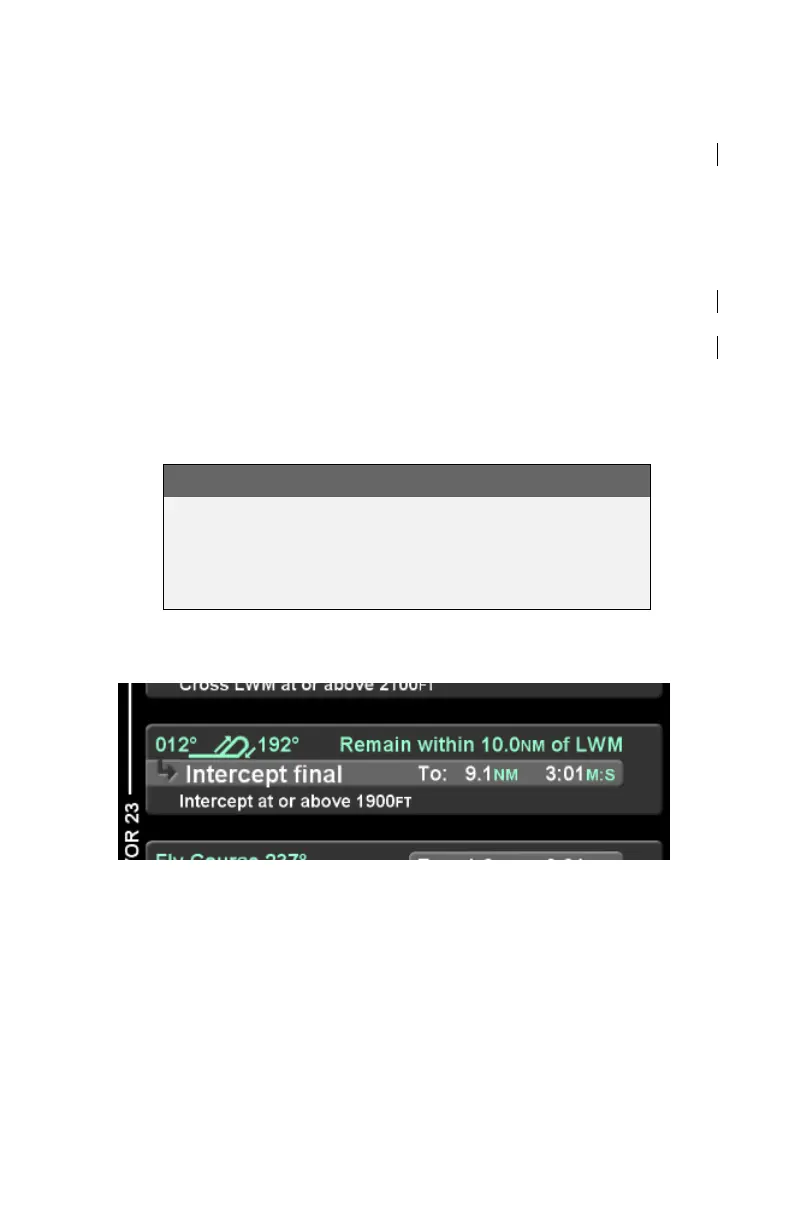
Graphical Flight Plan Leg
To aid in situational awareness, procedure turns and
holding patterns are shown in the flight plan with a
graphical representation, as illustrated below.
Procedure Turn Leg
ACTIVATING A FLIGHT PLAN
When a flight plan is entered on the ground, the flight plan will be
inactive and no guidance will be provided. To activate the flight
plan, press the "Activate Route" LSK. If the flight plan is not
activated and the aircraft reaches a threshold groundspeed of
approximately 40 knots, the IFD will automatically activate the
flight plan. A flight plan that was created by pressing the
"Activate Route" LSK for a stored route on the ROUTE tab will be
automatically activated.



 To Next Page