IFD400 Series Pilot Guide
General 6-71
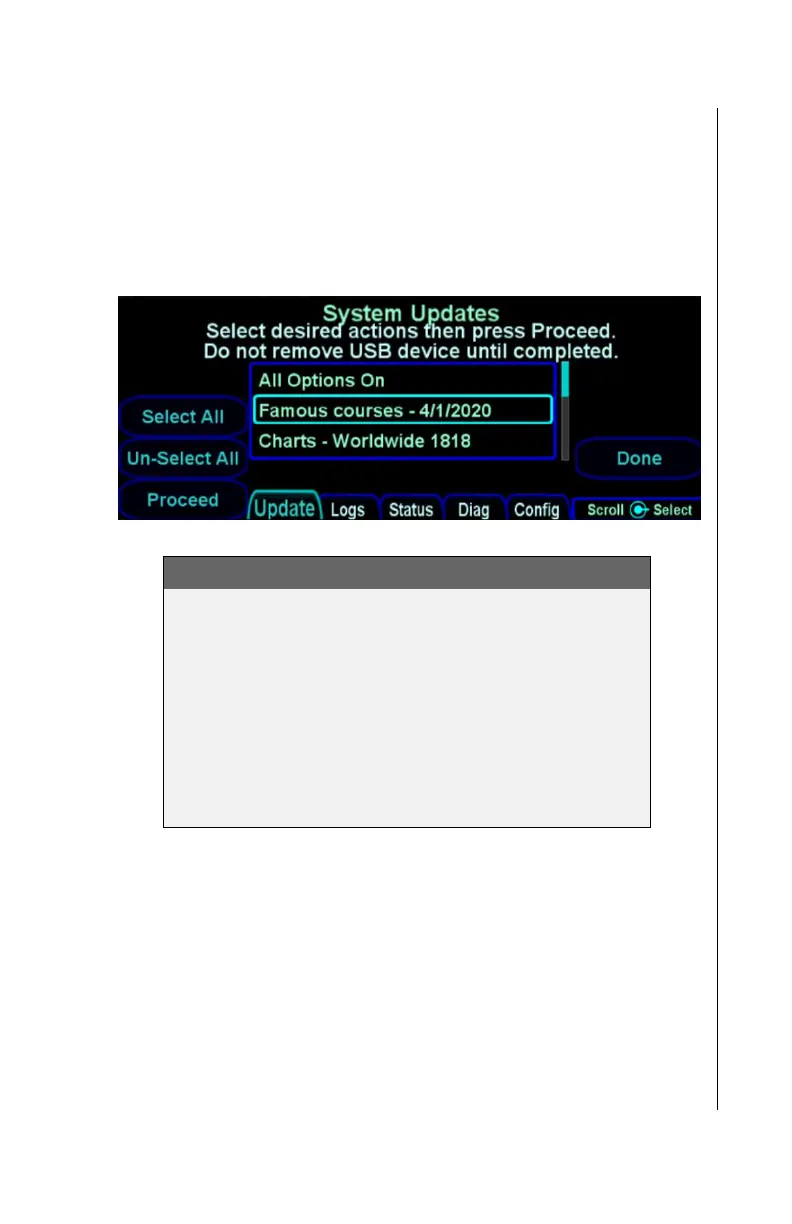
User waypoints are uploaded to the IFD using the same
technique as is used for uploading navigation data. CSV files
containing user waypoints will be displayed on the System
Updates page just like DSF files are. The description on the first
line of the CSV file will be shown in the list, as illustrated below
for the sample file above.
System Update tab showing user waypoints file
IMPORTANT NOTE
When uploading user waypoints from a CSV file, it is
important to remember that the set of user waypoints
in the CSV file will completely replace the set of user
waypoints in the IFD.
The IFD cannot detect inaccurate data in the CSV
file. It is the pilot’s responsibility to check the
accuracy of each user waypoint after loading and
before its first use.
DOWNLOADING USER WAYPOINTS
To save the set of user waypoints currently contained in the IFD,
start Maintenance Mode, go to the Update tab, and then select
the “Save Waypoints” item. After pressing the Proceed button,
the IFD will save the set of waypoints to a file named
“SAVEWPTS.CSV”. The saved file will have the same format
required for uploading user waypoints, and the description on the
first line will contain the date on which the waypoints were
downloaded.



 To Next Page