IFD400 Series Pilot Guide
1-36 System Overview
OPERATIONS WITH WIRELESS DEVICES
The IFD is capable of connecting to external devices over both
Bluetooth and WiFi networks.
Startup behavior
When the IFD powers up, the IFD will attempt to configure the
WiFi and Bluetooth interfaces just as they were when the IFD was
last powered down. The IFD may take up to 40 seconds to
establish the connections.
Quick Disconnect / Reconnect
The IFD provides a quick method for disconnecting the WiFi and
Bluetooth interfaces. This is useful if there ever becomes a
concern that a wireless device is interfering with the proper
functioning of the IFD.
In order to quickly disconnect the WiFi and Bluetooth interfaces,
press and hold the power button in the top left corner of the IFD
until the countdown starts, then release the button. At that point,
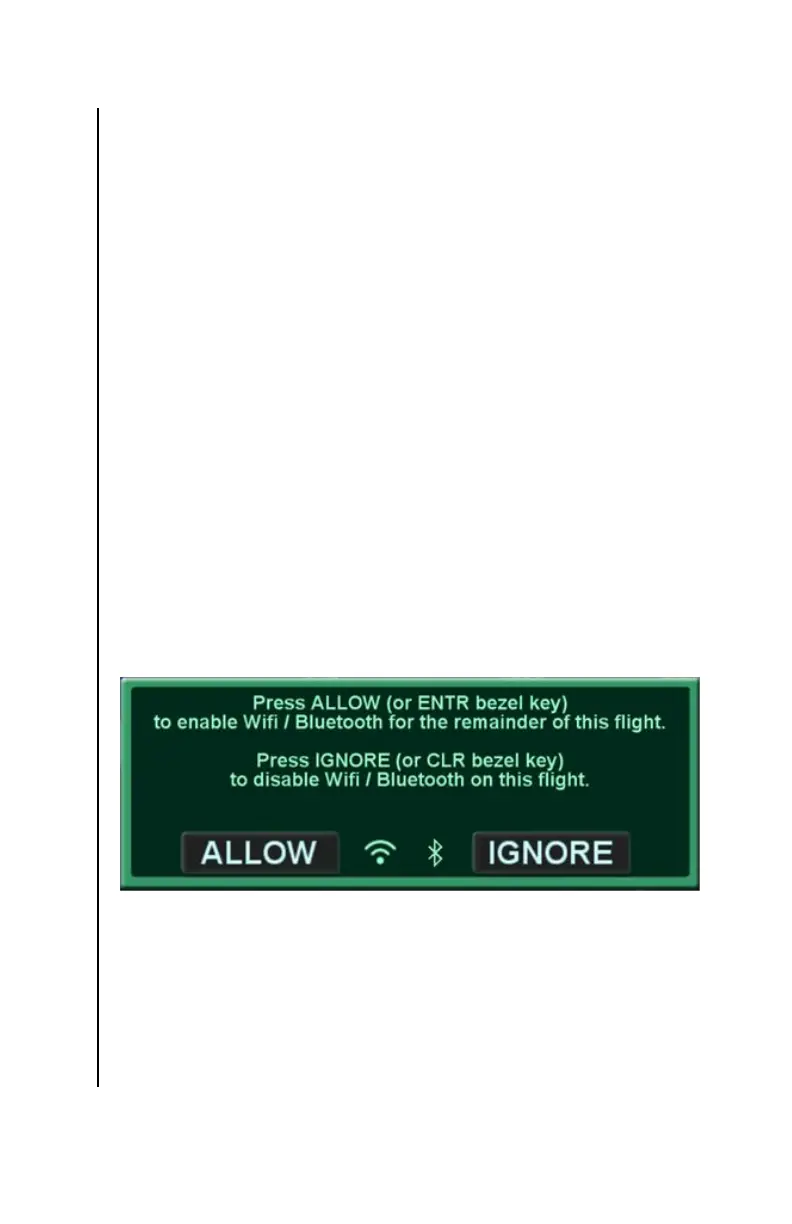
a large green dialog box will appear showing two options –
Accept and Ignore, as shown below.
WiFi / Bluetooth Enable/Disable Confirmation Dialog
To disconnect WiFi and Bluetooth interfaces, either touch “Ignore”
or press the CLR button. From that point on, the IFD will not
connect with devices over those two interfaces.
If the WiFi and Bluetooth interfaces are already disconnected, the
same technique can be used to reconnect them. Rather than
selecting “Ignore”, either touch “Allow” or press the ENTR button.



 To Next Page