IFD400 Series Pilot Guide
2-40 FMS Subsystem
USE OF THE MAP FPL SPLIT PAGE
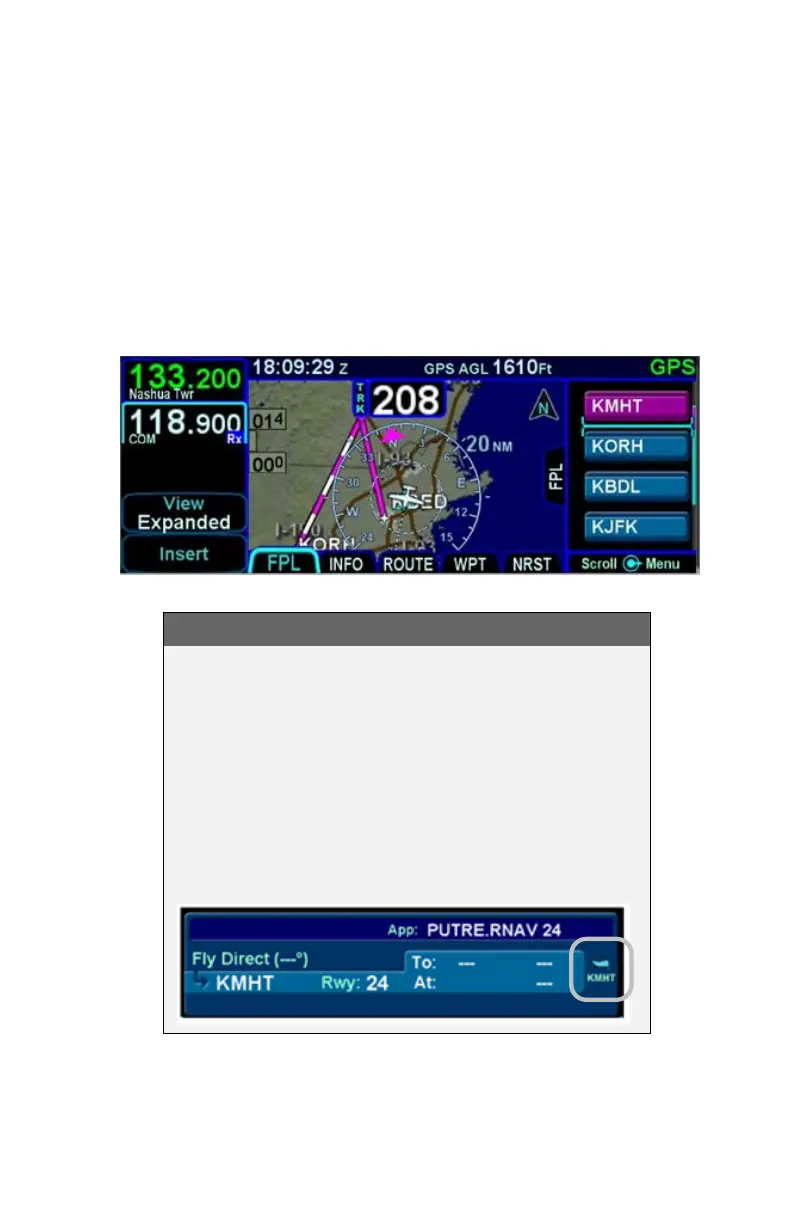
The Map-FPL split tab on the FMS page presents the moving
map on the left and the FMS flight plan in a thin strip on the right.
While it can be useful in many phases of flight and scenarios, the
split page is especially helpful during arrivals. This can be most
useful to instantly correlate your flight plan with the graphical
depiction on the map. This aids in error reduction and helps
visually see options for diverts, weather avoidance, etc.
Map-FPL Split Page
COOL FEATURE
METAR Flags in Flight Plan
When a weather datalink device is installed in the
airplane and providing METAR data to the IFD, color
METAR flags will be included in the flight plan leg
depiction along the right edge. This is designed to
give you a quick weather reference for the waypoint
and/or its vicinity. The exact station to which that
METAR applies is provided via the flag label and
may be different than the actual waypoint identifier.



 To Next Page