IFD400 Series Pilot Guide
FMS Subsystem 2-21
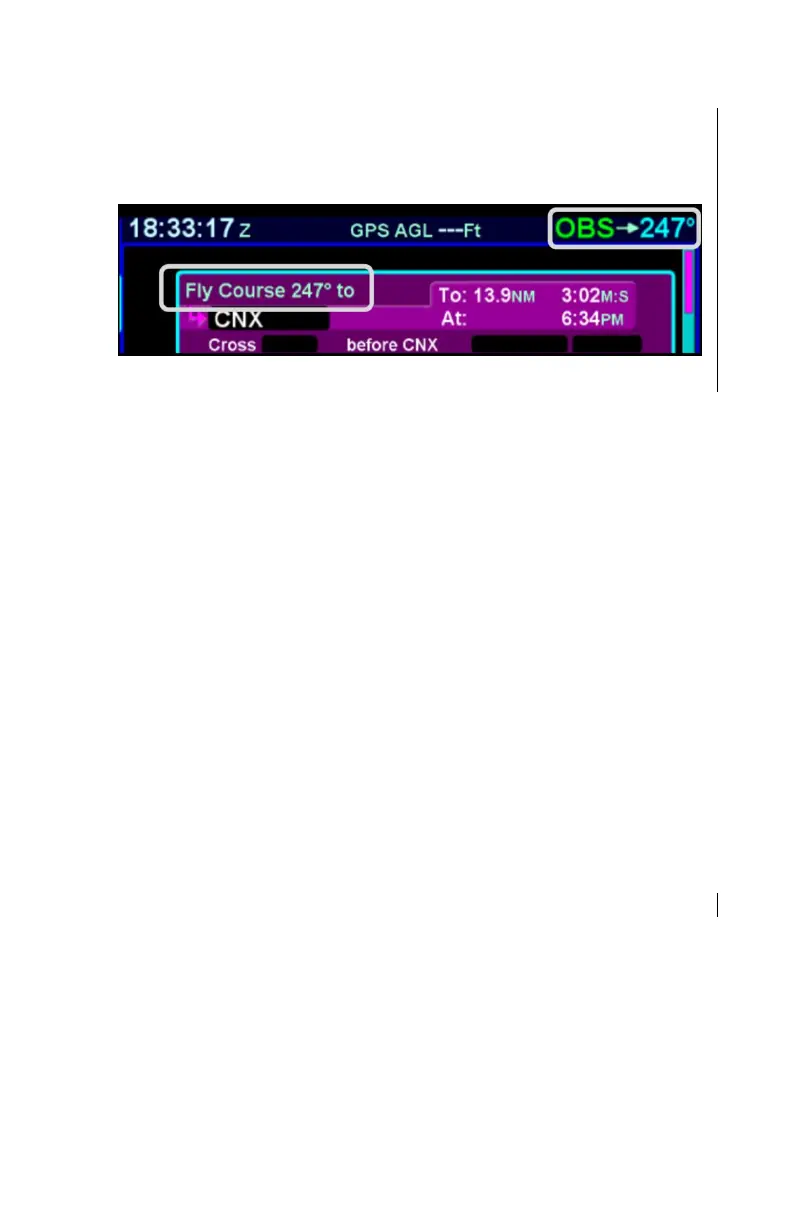
active leg on the FPL tab will change to “Fly Course xxx°”, as
illustrated below.
FMS Course – Active Leg
The FMS Course function will always be armed (i.e. it will always
intercept the flight plan) in a To intercept. If the airplane is in a
From course, it will intercept only if the dialed course trajectory
intercepts the flight plan. If the dialed course does not intercept
the flight plan, the airplane will fly that course indefinitely.
The FMS Course function will be exited when the airplane
intercepts the active waypoint in a To intercept or when
intercepting a downpath leg in the From case. Pressing the nav
source knob while the FMS course function is active will also
cancel the FMS Course mode and return to GPS as the active
nav source mode. The FMS Course will remain active if a From
course is dialed and the airplane does not intercept the FPL.
VLOC Method†
If the Nav Source knob is set to VLOC as the active nav mode
and a VOR station is tuned and received, then use the external
course knob on the CDI/HSI/EFIS/etc to set the desired inbound
or outbound radial as required.
DELETING A FLIGHT PLAN
Select the “Routes” tab of the FMS page. Use the bottom right
knob to scroll to the desired flight plan in the list or touch the flight
plan to highlight the route. Press the “CLR” button on the bezel
and a green confirm dialog box pops up. Press “Enter” or
“Cancel” LSKs or use the bezel “ENTR” or “CLR” buttons to finish
the deletion.



 To Next Page