IFD400 Series Pilot Guide
Navigation 5-31
MISSED APPROACH
The simplest and safest way to properly fly a missed approach is
to ensure it is part of the active flight plan. It can be activated
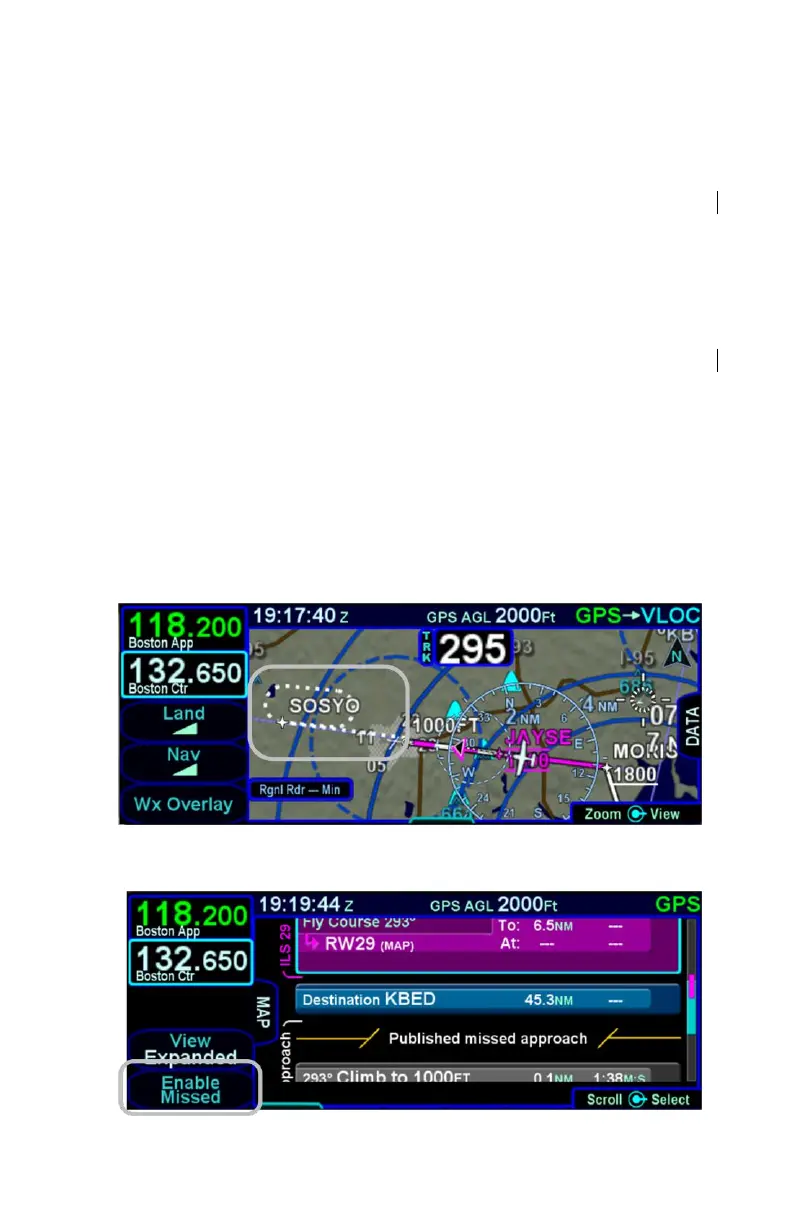
anytime inside the FAF by pressing the "Enable Missed" LSK on
the FPL tab. This label changes to “Activate Missed” when
crossing the Missed Approach Point (MAP) if it hadn’t been
pressed prior to the MAP.
Alternatively, the system can be configured to automatically
enable the published missed approach for an active procedure by
selecting the Auto Enable Missed selection on the Setup page.
When this is selected, the system will automatically sequence to
the published missed approach when crossing the FAF.
The following sequence of images show the map depiction of the
missed approach procedure before it has been enabled, followed
by an image showing the “Enable Missed” LSK on the FPL tab,
and then finally the map depiction of the now enabled published
missed approach procedure.
Disabled Missed Approach on Map
Enable Missed LSK



 To Next Page