IFD400 Series Pilot Guide
Navigation 5-19
TRANSITION ALTITUDES/LEVELS
Transition altitude/level alerts can be optionally turned on via the
Setup Page. When set to On, an advisory CAS message will be
displayed as the transition altitude is being approached from
below or when the transition level is approached from above.
If the origin airport has a published transition altitude in the nav
database and the transition altitude has not been manually set,
the system will automatically set the transition altitude.
If the destination airport has a published transition level in the nav
database and the transition level has not been manually set, the
system will automatically set the transition level.
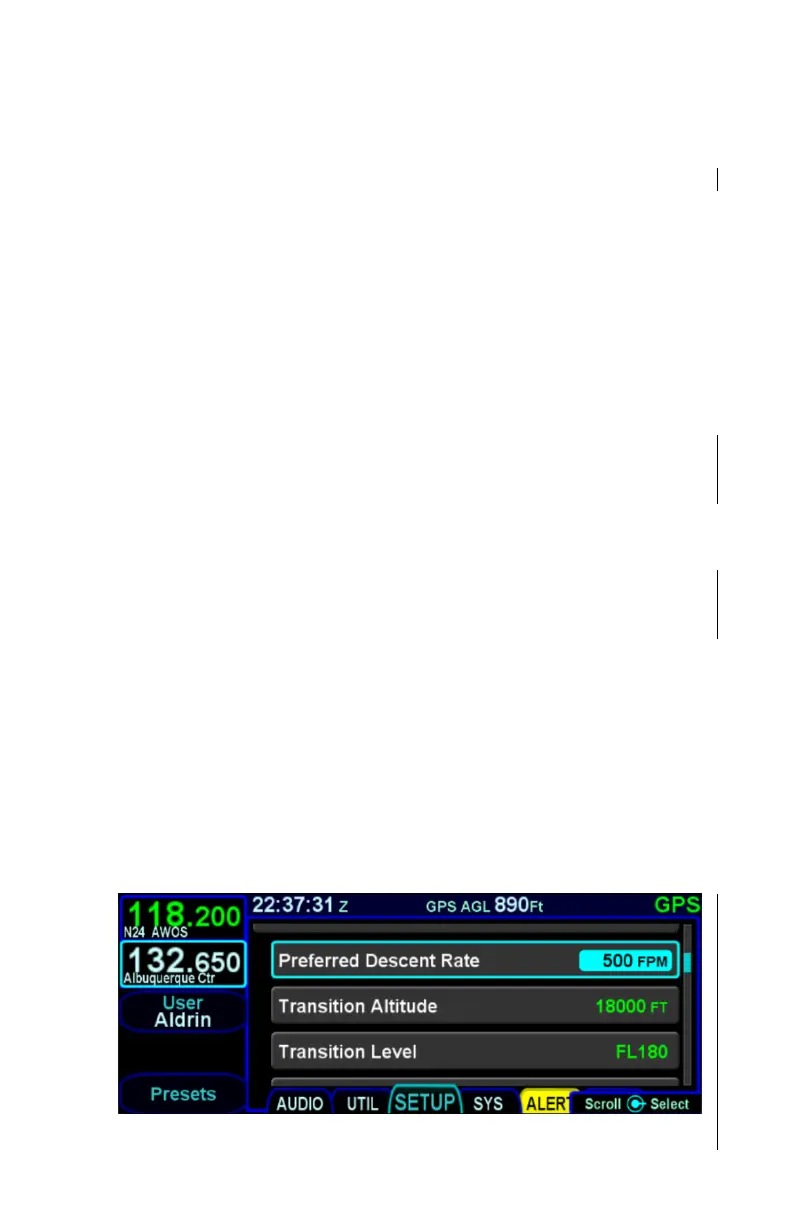
The transition altitude can be manually set on the Setup Page by
turning the bottom right inner knob or by typing in a value in the
virtual keyboard. Each click of the inner knob adjusts the value
by 100 feet and keyboard entries can be made down to the foot.
The allowable range is from 1,000 feet to 60,000 feet.
Similarly, the transition level can be manually set on the Setup
Page by turning the bottom right inner knob or by typing in a
value in the virtual keyboard. Each click of the inner knob adjusts
the value by one flight level (i.e. 100 feet). The allowable range is
from FL010 to FL600.
When the transition altitude/level has been automatically set by
the system, it is displayed in green. If the transition altitude/level
has been manually entered, it is displayed in white. When the
transition altitude/level has been manually set, pressing the bezel
“CLR” button will allow the value to be set by the system, turning
it from white to green.
Transition Altitude and Level Setting



 To Next Page