IFD400 Series Pilot Guide
6-74 General
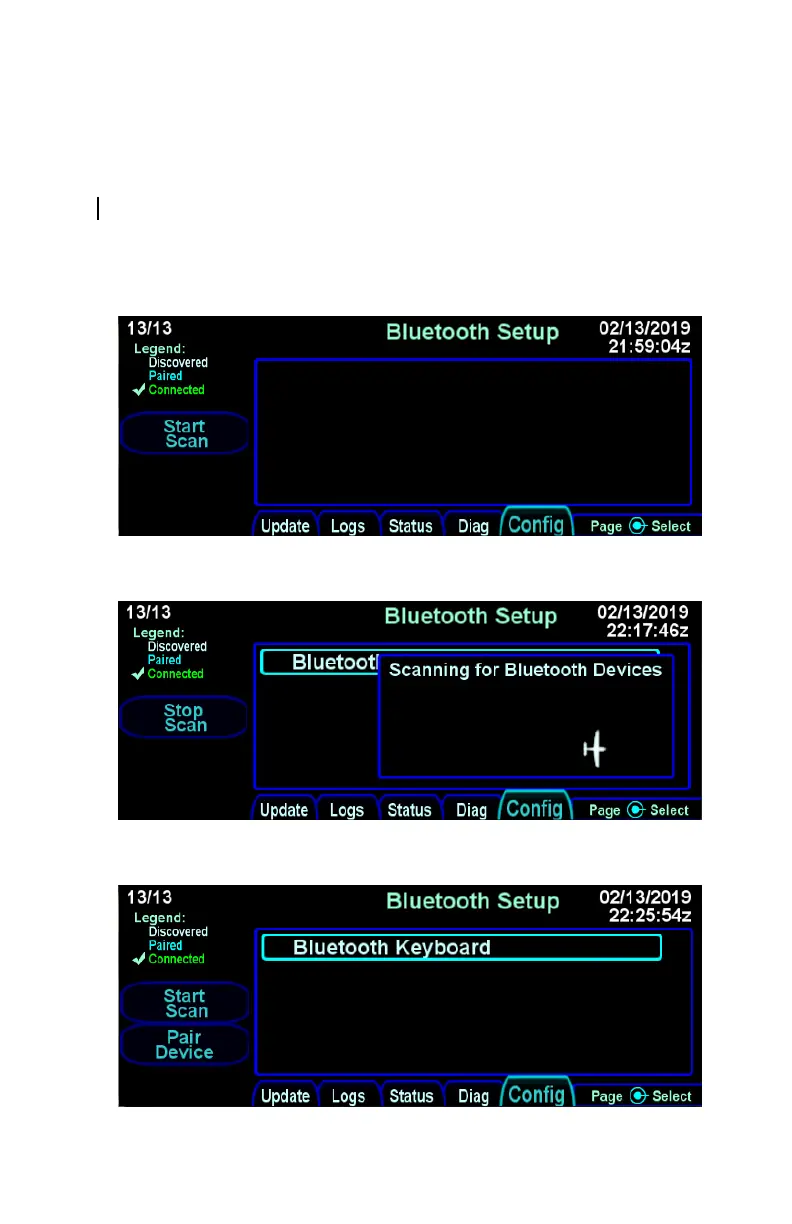
a while, the IFD will discover the keyboard and it will appear on
the list of devices shown on the screen. At that point, press the
"Stop Scan" LSK.
After "Stop Scan" has been pressed, turn the right outer knob to
move the cursor to the desired device. Press the "Pair Device"
LSK and wait for a numeric pairing code to appear.
Bluetooth pairing - Start Scan LSK
Bluetooth pairing - keyboard discovered
Bluetooth pairing - Pair Device LSK



 To Next Page