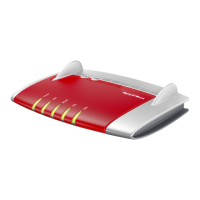
Buttons
Button Functions
NALW
Fon/ DECT
Connect/ WPS
ofnI
No. Button Function
1 WLAN Switch Wi-Fi on and off
2 Fon/DECT Search for cordless telephones (paging call)
3 Connect/WPS • Register cordless telephones with the
FRITZ!Box; see page80
• Register wireless devices with the FRITZ!
Box via WPS; see page39
• Register Smart Home devices with the
FRITZ!Box
FRITZ!Box 7590 AX 25
Functions and Structure
• • • • • • • • • • • • • • • • • • • • • • • • • • • • • • • • • • • • • • • • • • • • • • • • • • • • • • • • • • • • • • • • • • • • • • • • • • • • • • • • • • • • • • • • • • • • • • • • • • • • • • • •
• • • • • • • • • • • • • • • • • • • • • • • • • • • • • • • • • • • • • • • • • • • • • • • • • • • • • • • • • • • • • • • • • • • • • • • • • • • • • • • • • • • • • • • • • • • • • • • • • • • • • • • •


 To Next Page
 Loading...