Connecting to a Router
Overview
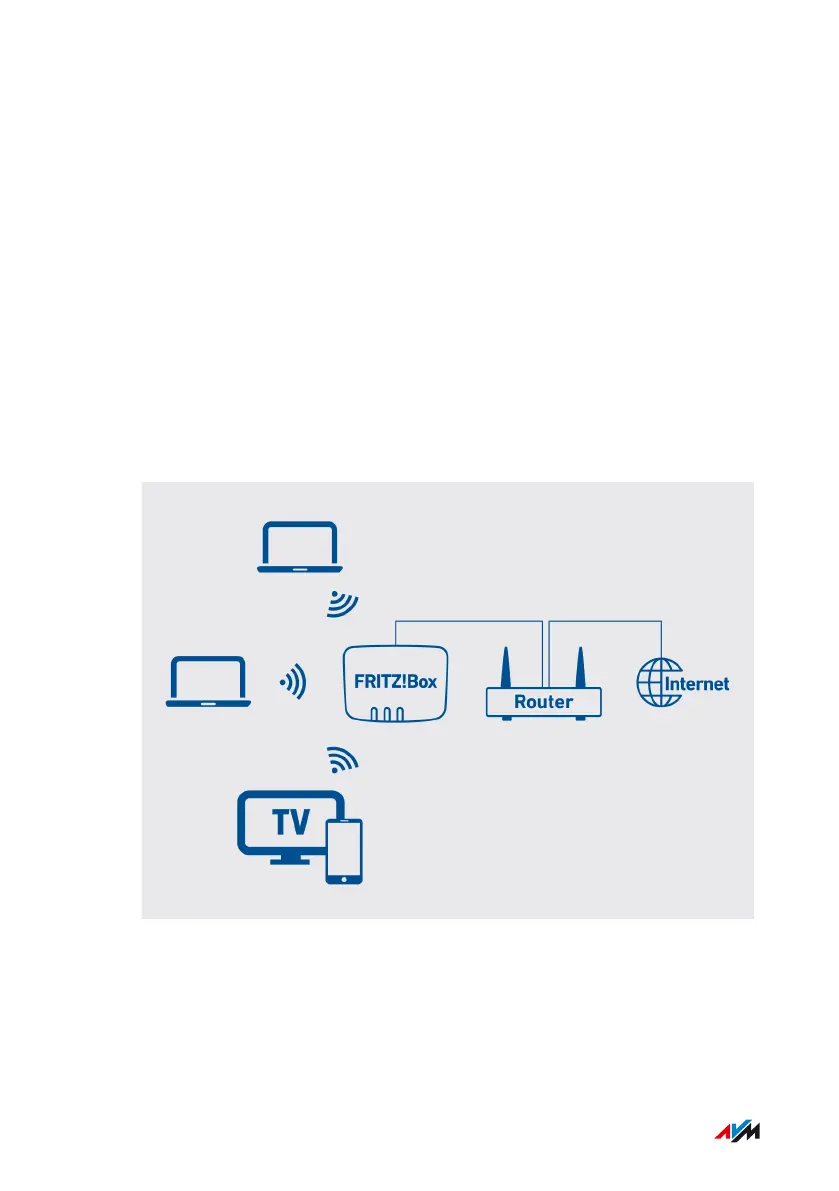
You can connect the FRITZ!Box to a router that is connected with the in-
ternet. Then the FRITZ!Box uses the internet connection of the router.
Requirements
• If the FRITZ!Box is operated as a router and generates its own IP
network, then it is connected to the router via the WAN socket. The
WAN socket must be configured for WAN operation; see page159.
Example Configuration
You need
• a LAN cable (for instance, from the FRITZ!Box package)
FRITZ!Box 7590 AX 49
Option: Connecting to a Modem or Router
• • • • • • • • • • • • • • • • • • • • • • • • • • • • • • • • • • • • • • • • • • • • • • • • • • • • • • • • • • • • • • • • • • • • • • • • • • • • • • • • • • • • • • • • • • • • • • • • • • • • • • • •
• • • • • • • • • • • • • • • • • • • • • • • • • • • • • • • • • • • • • • • • • • • • • • • • • • • • • • • • • • • • • • • • • • • • • • • • • • • • • • • • • • • • • • • • • • • • • • • • • • • • • • • •


 To Next Page
 Loading...