Advanced DVB-S2 Receiver Operational Manual
SR1 Software and Firmware Upgrade
55
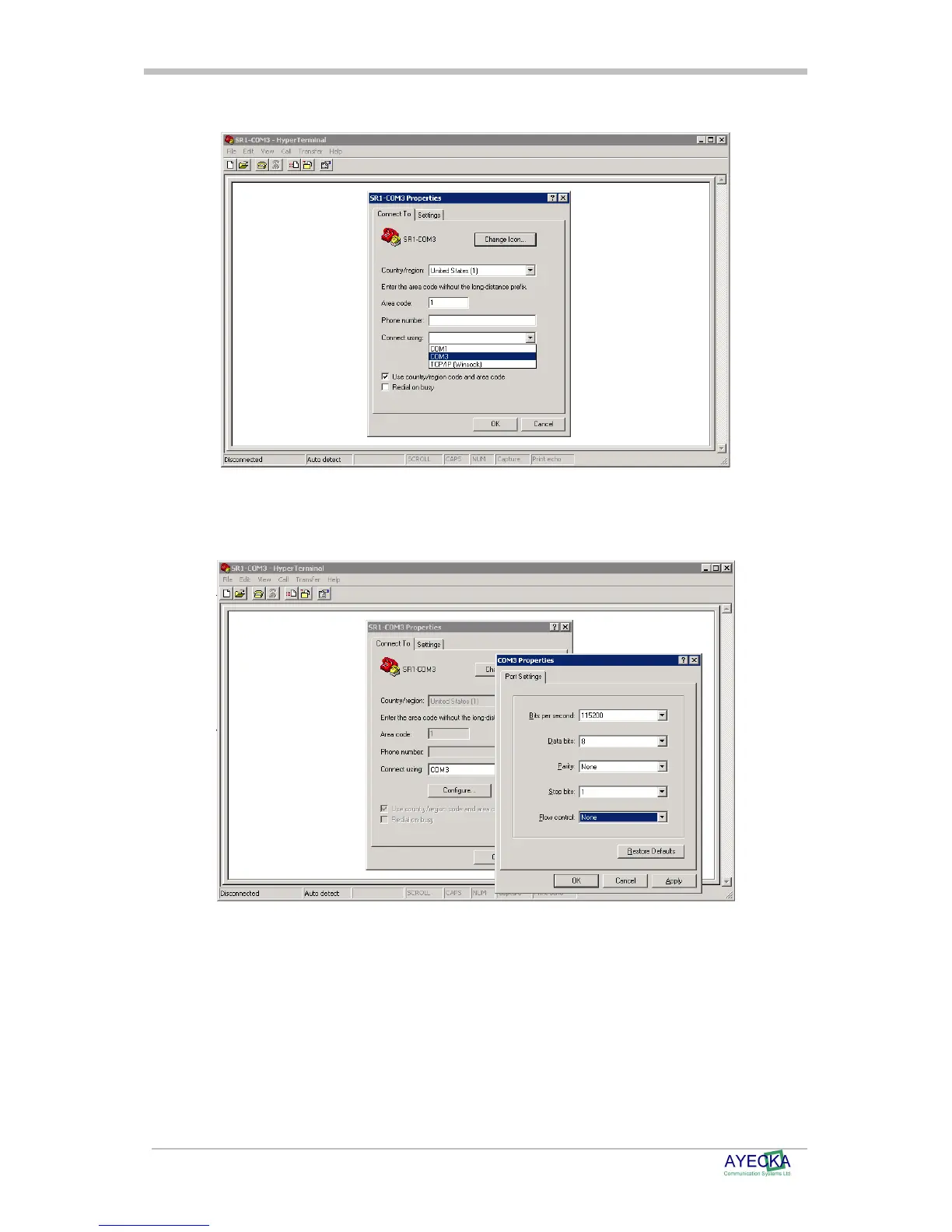
• Figure 6, below demonstrates how to use Windows® HyperTerminal:
Figure 6 - SR1 Terminal COM Port Selection
• After the COM Port is selected, set the COM properties 115200,8,N,1
• Figure 7 below, demonstrate the COM properties settings
Figure 7 - SR1 Terminal COM properties setting



 To Next Page