Advanced DVB-S2 Receiver Operational Manual
SR1 Software and Firmware Upgrade
54
10
1010
10 SR1 Serial over USB Cable
The SR1 provides local configuration and management interface using Serial over USB. The
Serial over USB is similar to the serial over RS-232 that was popular in the past. To use the
Serial over USB you must install the Virtual Com drivers, on the Client PC.
The Drivers for the Virtual Com are available from the support page:
http://www.ayecka.com/Support.html
To install the drivers:
• Select the “VCP Driver Kit”.
• Download the drivers and follow the installation instructions.
Note:
Connect the SR1 Mini USB cable ONLY after completion of the drivers installation
• After the drivers are installed and the SR1 is connected, the Virtual Com will be added to
the devices on the client PC.
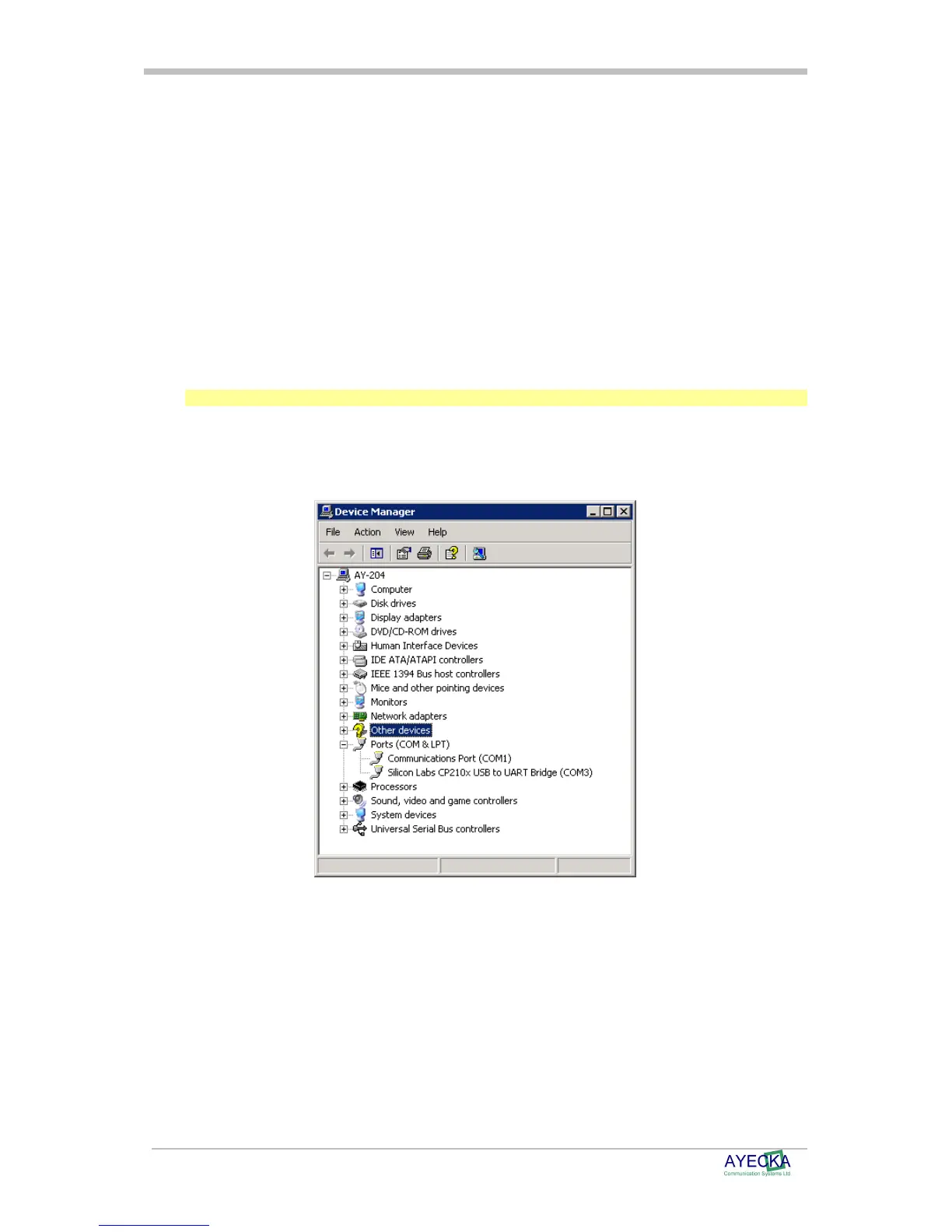
• Use the Device Manager to verify the installation and to obtain the Virtual port number. ,
below shown an example where the Virtual COM port is COM3.
Figure 5 - Virtual COM
• Once the virtual COM is installed properly, any terminal application can be used to
manage and monitor the SR1.



 To Next Page