K5A - 3
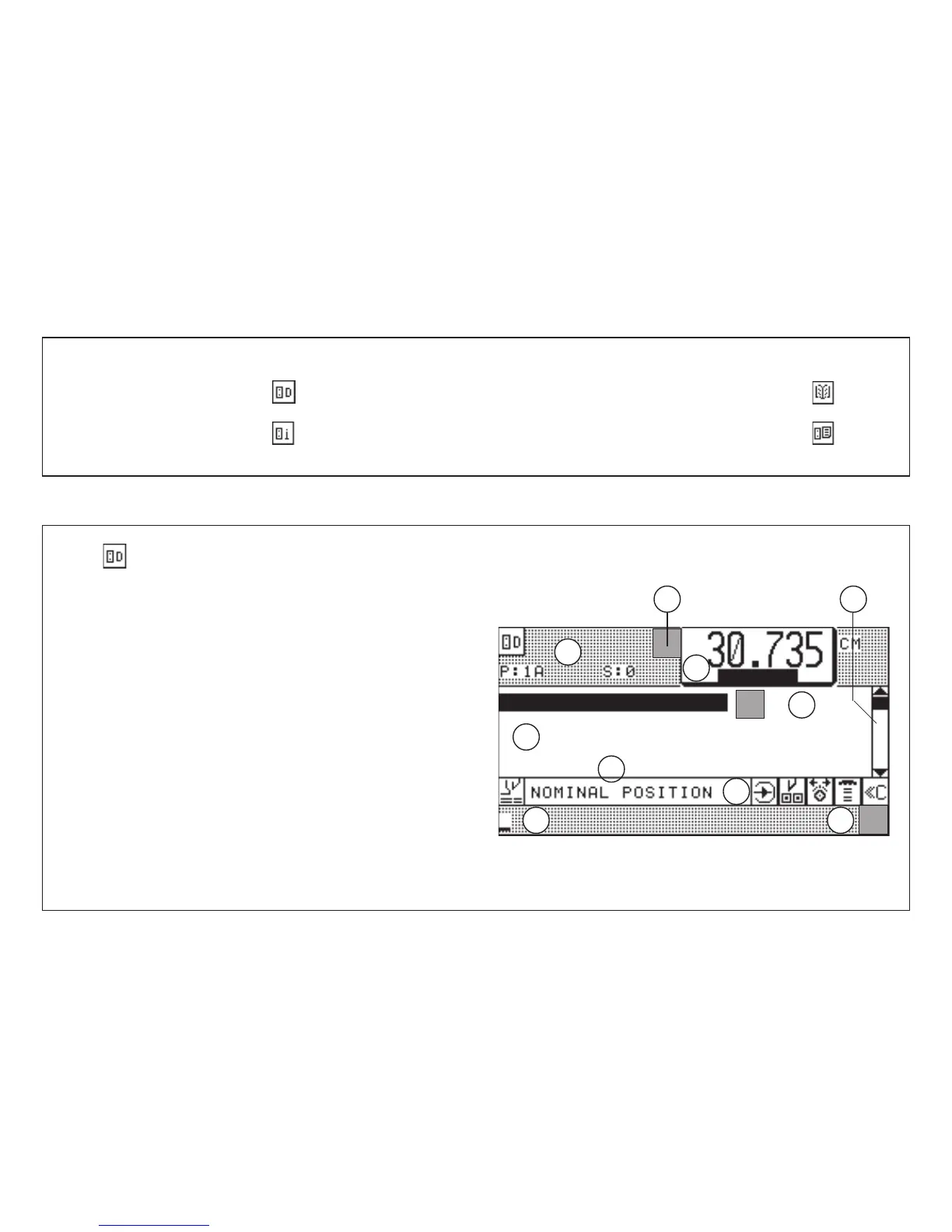
Explanation of Program-Data-display:
1 Program head (menu pictograph, program number (P: 1A) with memory
segment (S: 0) designation A )
2 Data section (3 step number visible on one page
3 Input section
4 Size display
5 Display of additional functions stored with step number
6 Status display (current machine function)
7 Display section Additional Function (after selection
8 Pictographs for user prompting (possible operating functions)
9 Current programming function with pictograph
10 Rolling bar (movement by cursor keys)
5.0 Automatic Operation
Basic Displays
1. Program Data: key
2. Program Information: key
3. Main Menu (Function Survey): key
4. Program Directory: key
Press key < display shows program data display:(appears automatically after start-up*)
Basic Display: Program Data
* If this fails, see "Malfunctions/Breakdowns, page K7 - 2"
1
5
3
2
4
10
7
8
6
9



 To Next Page