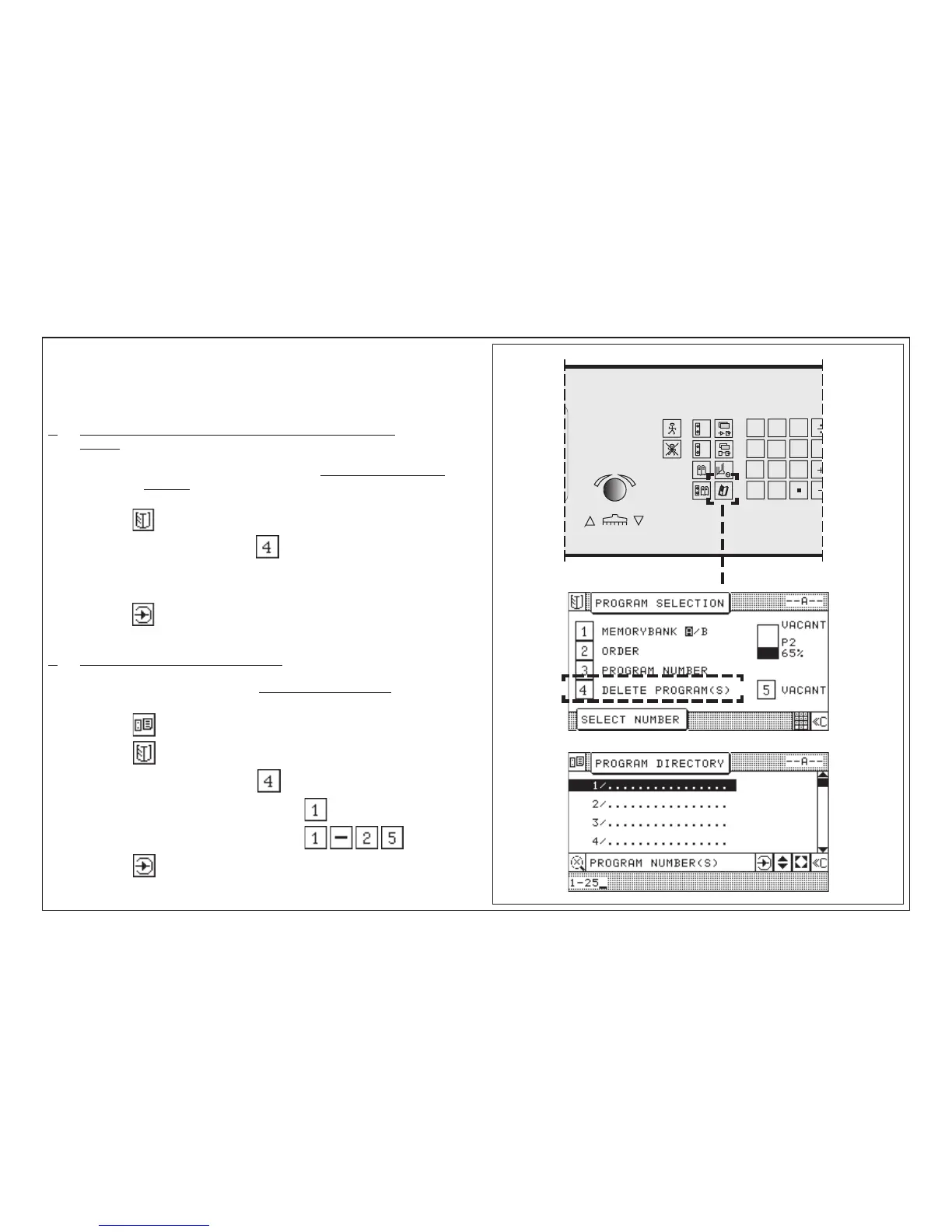
5.0 Automatic Operation
Deletion of One/Several Program(s)
Possible variations: 1. Deleting in Program Data Display and
Program Information Display
2. Deleting in Program Directory Display
1. Deleting in Program Data Display and Program Information
Display
Attention! In the Program Directory display only the current shown
program can be deleted.
1. Press key program selection < menu appears >
2. Select"Delete program/s" with key
< program data display appears >
3. Program number to be deleted appears in input section
4. Press key "Enter" < current program is deleted >
2. Deleting in Program Directory Display
In the Program Directory display one or several programs can be
deleted!
1. Press key "Program Directory"
2. Press key "Program selection" < menu appears >
3. Select "Delete program/s" with key
4. Enter program number to be deleted e.g.
or deleting of several programs, input e.g.:
5. Press key "Enter"



 To Next Page