K5B - 10
Selection of Block Programming with key
Block Programming = automatic programming
Blcok Programming is fitted with graphic operator prompting for the automatic
generation of a cutting program for printed and unprinted sheets.
The required cutting sizes and remarks are automatically stored in a free pro-
gram.
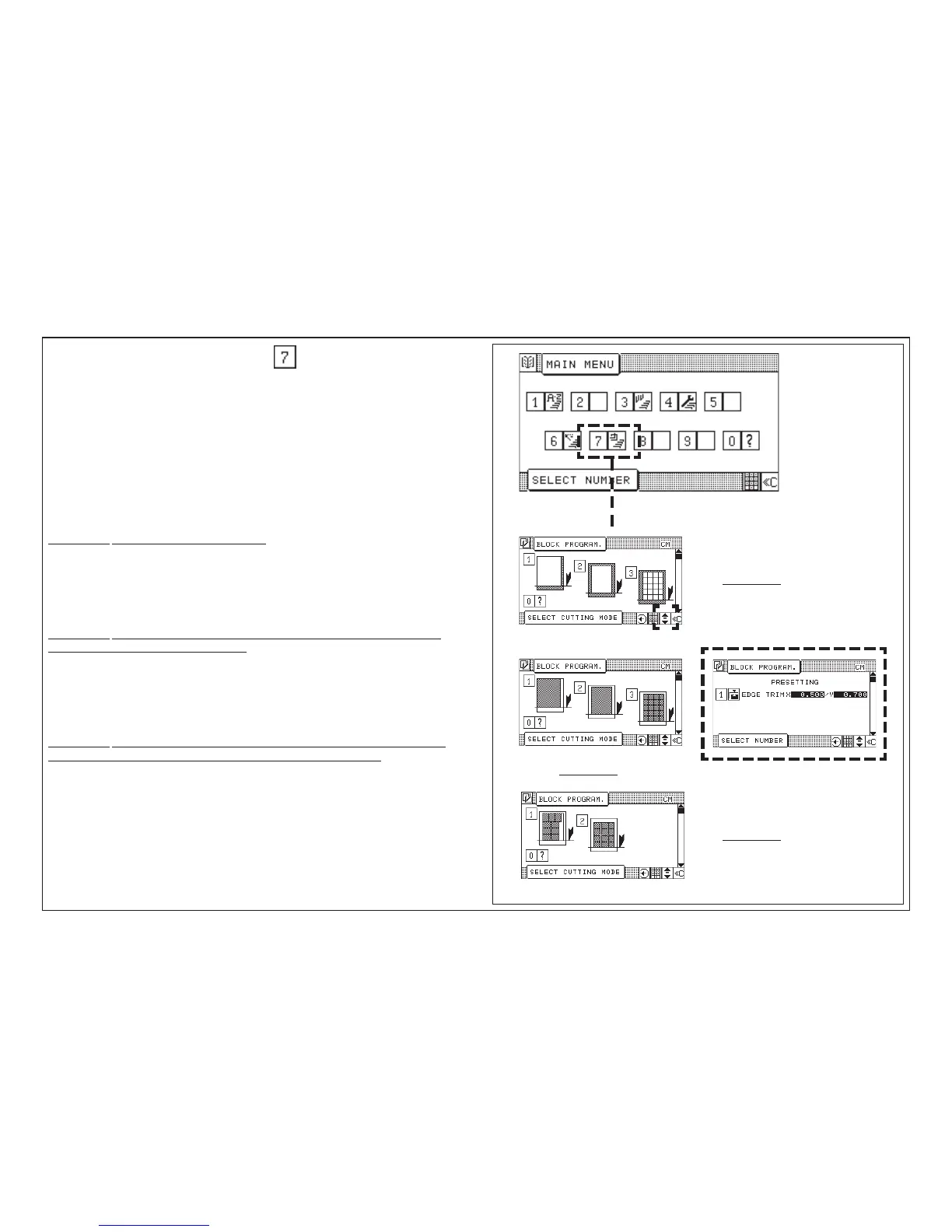
There are 3 variations of Block Programming with up to 7 available block
programming modes. The selection of a variation is done by cursor keys.
Variation 1: Size cut with edge trim entry
Consisting of: 1 Angular cut
2 Four edge trim
3 Four edge trim with labels
Variation 2: Size cut with final size entry without edge trim entry (with the
possibility of edge trim preadjusting)
Consisting of: 1 Final size angular cut
2 Final size four edge trim
3 Final size trim with labels
Variation 3: Size cut with optimisation of final size trim with labels without
edge trim entry (with the possibility of edge trim preadjusting)
Consisting of: 1 Final size optimisation
2 Four-size trim with labels and trim cuts
Block Programming
5.0 Automatic Operation
(with edge trim preadjusting)
Variation 1
Variation 3
Variation 2



 To Next Page