K5B - 11
5.0 Automatic Operation
Setting up a Block Programming
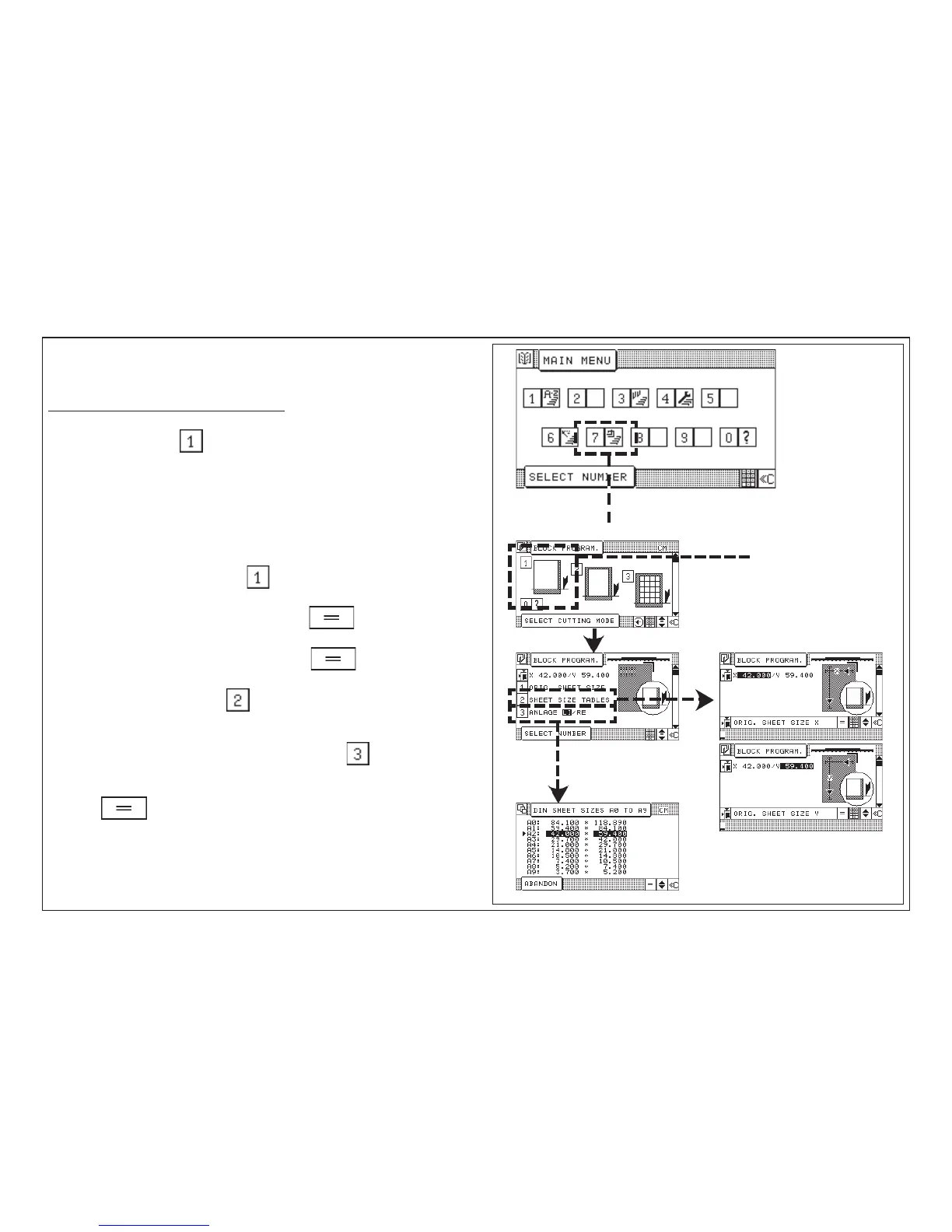
Example: Variation 1, selection: Angular cut
1. Selectcutting mode "Angular cut"
2. Menu: 1 Orig. sheet size
2 Sheet size tables
3 Lay guide lft / ri
With this menu it is able to enter the original sheet size manually or to select a
sheet size from a sheet size table.
3. Selection: Enter orig. sheet size
4. Enter Original sheet size "X", confirm with key
5. Enter Original sheet size "Y", confirm with key
or
6. Selection: Sheet size tables
7. Select left-hand lay side (=default) or right-hand lay side:
Example: Select right-hand lay side by means of key
8. Select desired sheet size by means of the cursor keys and confirm with
key
To be continued with next page!
Block Programming
Angular cut



 To Next Page