K5B - 3
5.0 Automatic Operation
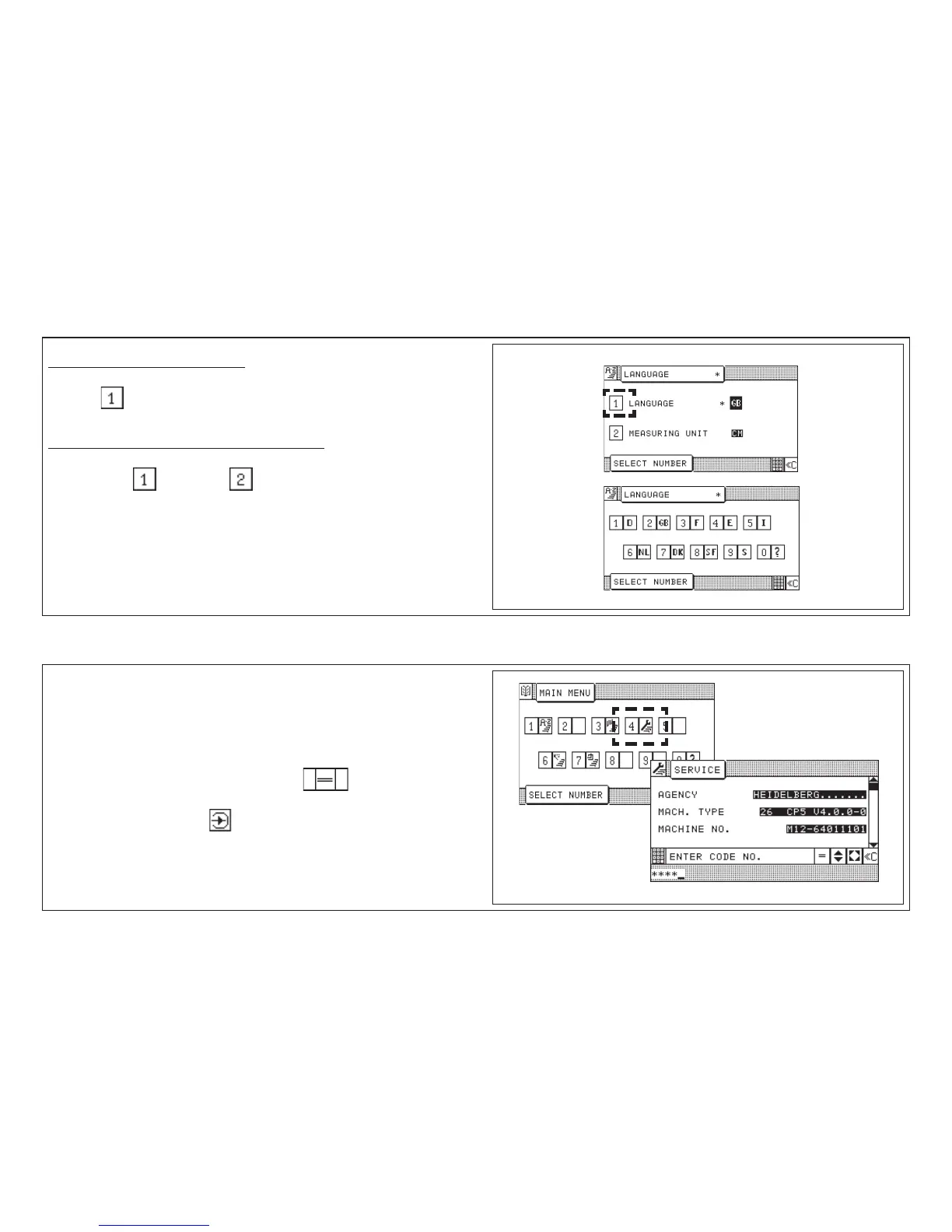
Select Language/Measuring Unit
Select "Main Menu" (Funtion survey)
Press key < menu appears >
Select function (LANGUAGE or MEASURING UNIT):
1. Key input: (language) or (measuring unit)
2. Select language or measuring unit: Enter number
Service
After selection display of machine identification (electronical type plate)
appears.
Possible inputs:
• Machine equipment
• BAUM safety check
• Name of inspector
You can jump to the next input line by pressing key .
You can move to the next pages with the help of the Cursor keys.
To store your entries: press key "Enter". .
The additional functions of the "Service menu" are only accessible to
BAUM service or its agencies. Access only after entering a code number.



 To Next Page