K5B - 7
5.0 Automatic Operation
Preset Functions
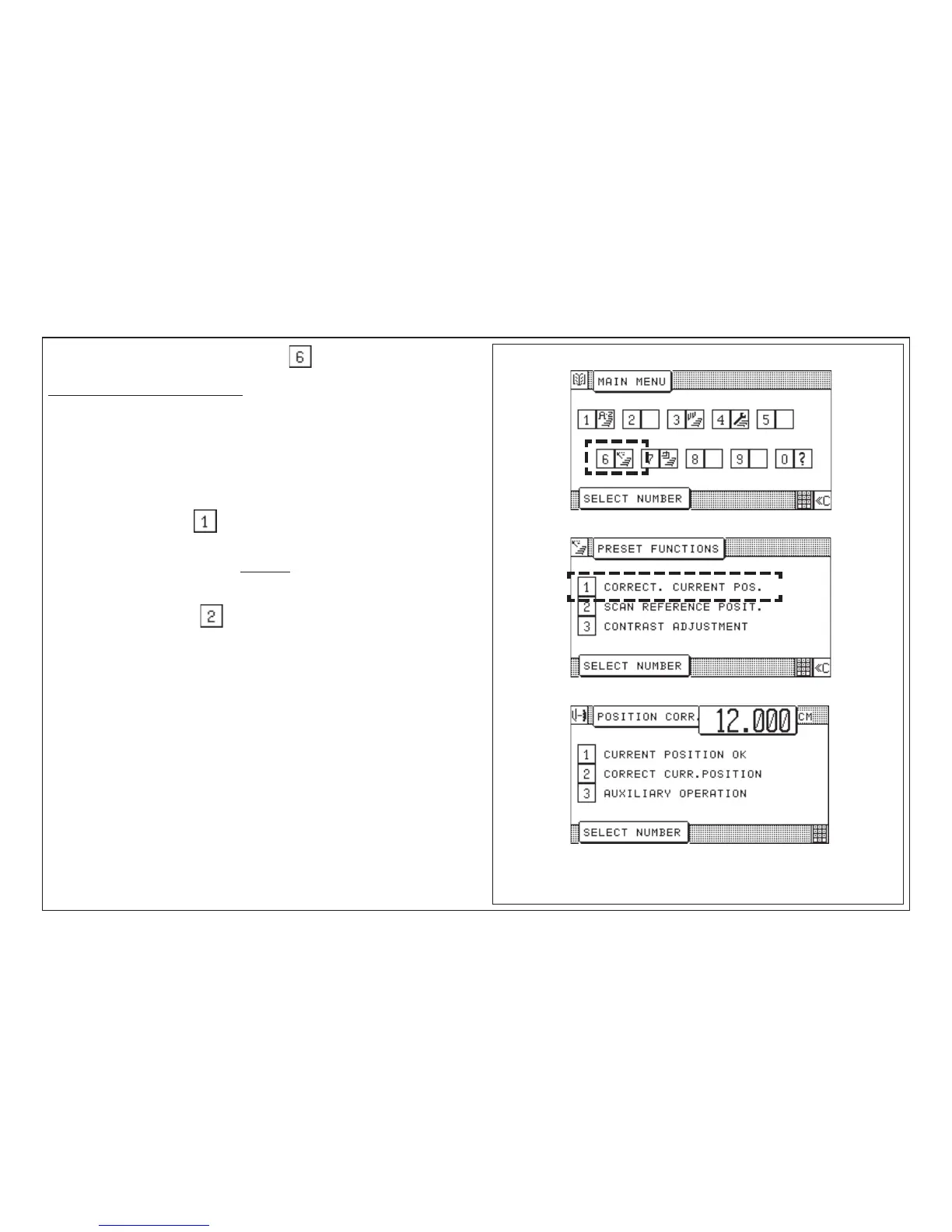
Selection of "Main Menu (Function survey)":
Correction of Current Position
Basic measurement = distance between backgauge rake and knife
This menu allows the inspection and correction of the basic position (actual
position) of the machine.
If the basic measurement indicated corresponds to the actual
backgauge position:
Select "Current Position OK“ .
If the basic measurement indicated does not correspond to the actual
backgauge position:
Select "Correct. current pos.":
Calculate basic position:
1. Position backgauge at any position (e.g.: 10.5 cm)
2. Feed paper and cut it
3. Place backgauge at smaller size (e.g. 10 cm)
4. Turn paper by 180° and cut again
5. Determine actual paper length of the part by sliding caliper (e.g. 10.2 cm)
6. Enter and store measured size.
From this display you can activate the Auxiliary Operation -
see also chapter "Malfunctions/Breakdowns".



 To Next Page