K7 - 3
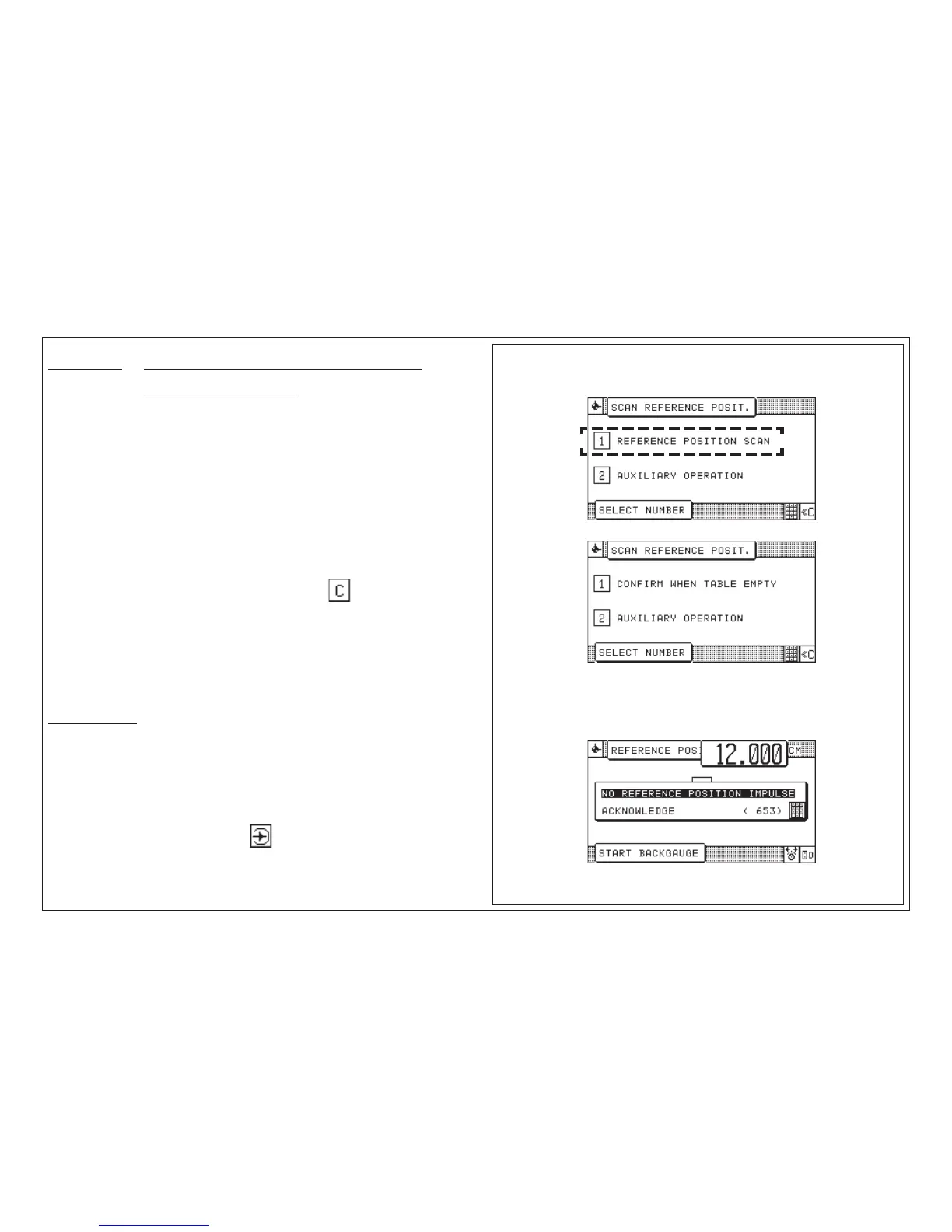
Start - Up Breakdown: Scan Reference Point/Auxiliary Mode
Malfunction: After machine has been started, display shows
"SCAN REFERENCE POINT"
Cause: Machine was shut off during backgauge movement
Remedy: Scan reference point
1. Select "(1) Reference position scan"
< prompt appears: clear the table >
2. Select "(1) Confirm when table empty"
< prompt appears: go to reference position >
3. Activate electronic handwheel
< backgauge moves to reference point >
Reference run can be interrupted by pressing key
If reference point is found:
< menu display "Correction of basic position" >
4. Check basic position and confirm (see page K5B - 7)
< program data display appears >
Auxiliary mode
If the reference point scanning fails:
1. Turn machine off and on again < menu "Scan reference position"
appears >
2. Select "Auxiliary Mode"
3. Select machine type; confirm with
Machine functions possible in Auxiliary Mode:
• cutting
• backgauge movement with handwheel or backgauge movement keys
7.0 Malfunctions/Breakdowns
after turning off the machine:
if reference point scanning fails:



 To Next Page