K5A - 20
Press key "Program Information"
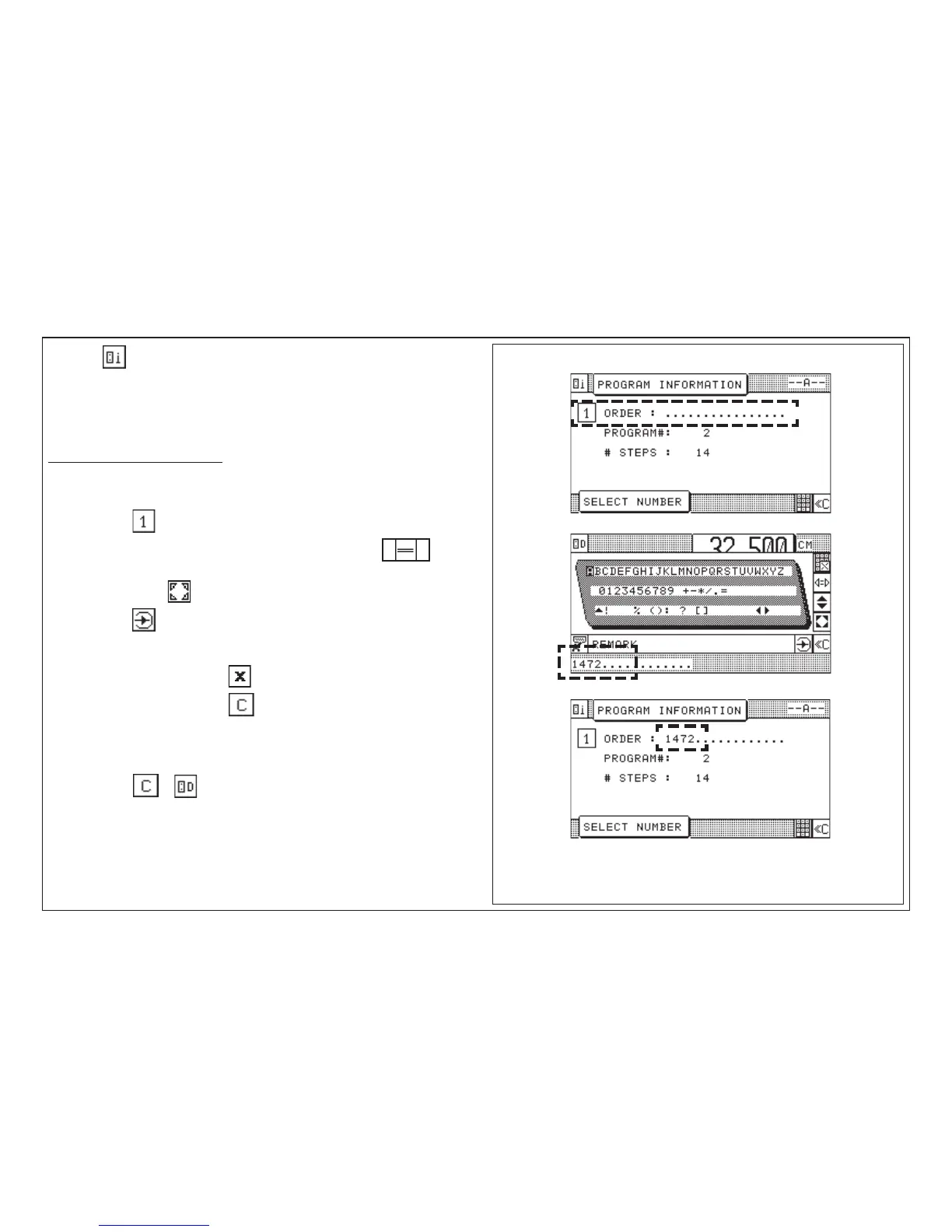
The Program Information display shows information about the currently selected
program. These pieces of information can be complemented by entering an order
number or order name in clear text. The alpha input is performed via a keybord
displayed on the screen.
Input capacity: max. 16 characters!
Storing "Order"
1. Press key < keyboard is displayed >
2. Select a character using the cursor keys (with the equal key you
can jump over five characters in a line).
3. Press cursor key "Home" < character is inserted into input section >
4. Press key "Enter"
< beep sounds; information is stored in the line "ORDER" >
Deleting an input: 1. Press key (multiply)
2. Press key
End of information input:
1. Press key or < Program Data display appears >
5.0 Automatic Operation
Storing of Program Informations



 To Next Page