Guided Commissioning
Application handbook Servo pump function V1 for BM5000
Document No.: 5.17002.02
47
of 76
4
4.4 Setting the pressure sensor inputs
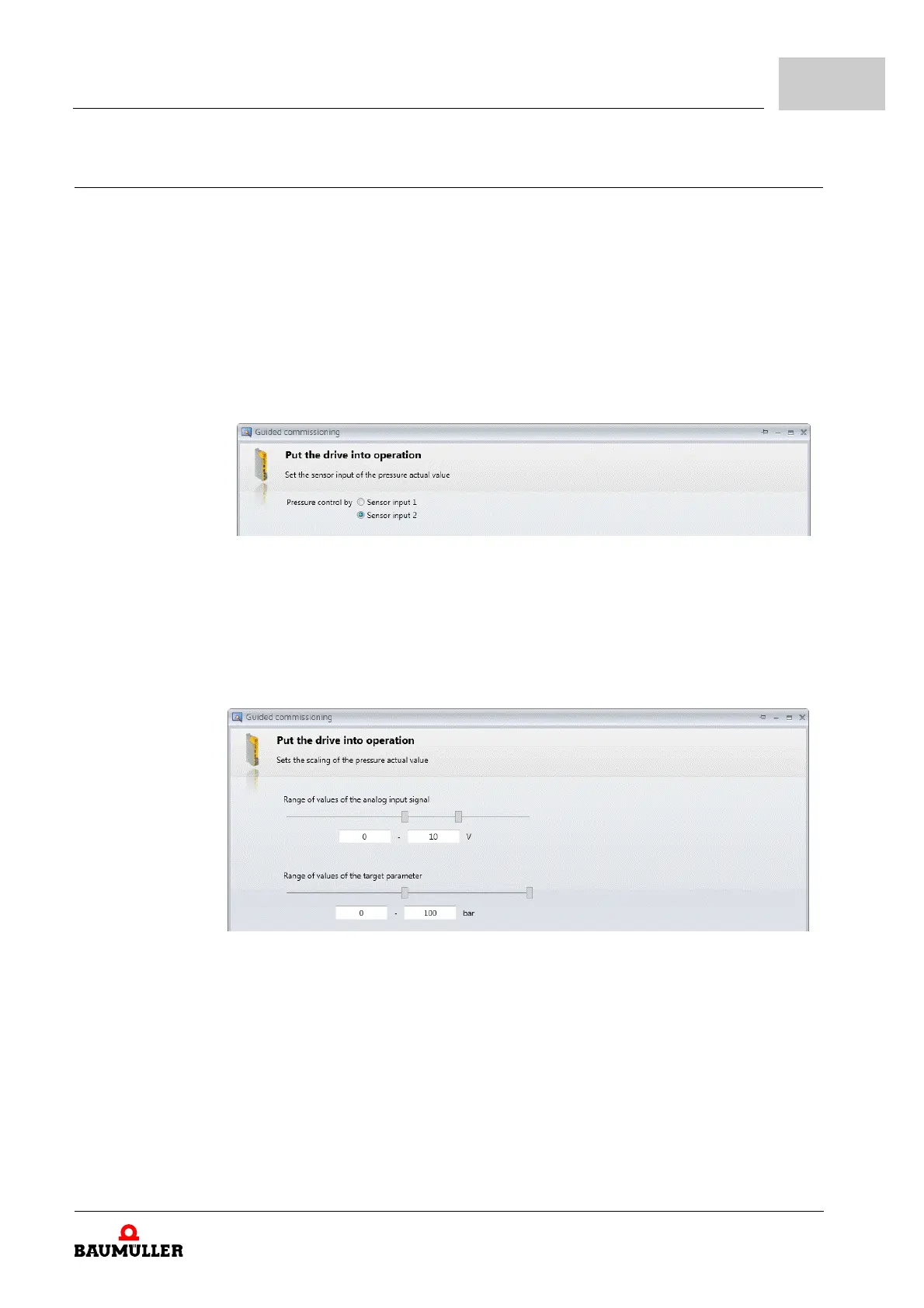
h Select the input on which the pressure Sensor is connected to.
Sensor input 1 with add-on module: SVP, analog input 3
Sensor input
1 without add-on module SVP: Standard-IO X6, analog input 1
Sensor input 2 with add-on module: SVP, analog input 4
Sensor input 2 without add-on module SVP: Standard-IO X6, analog input 2
Figure 51: Guided commissioning: Sensor input
h Click on „Continue“
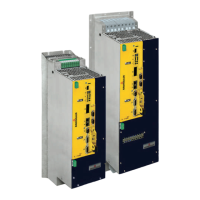
h Set the scaling of the „Pressure actual value“.
Figure 52: Guided commissioning: Scaling pressure actual value
h Click on „Continue“



 To Next Page