Configuring Your Router
WAN – EWAN Connection Setup (PPPoE)
BEC 8920AC User Manual
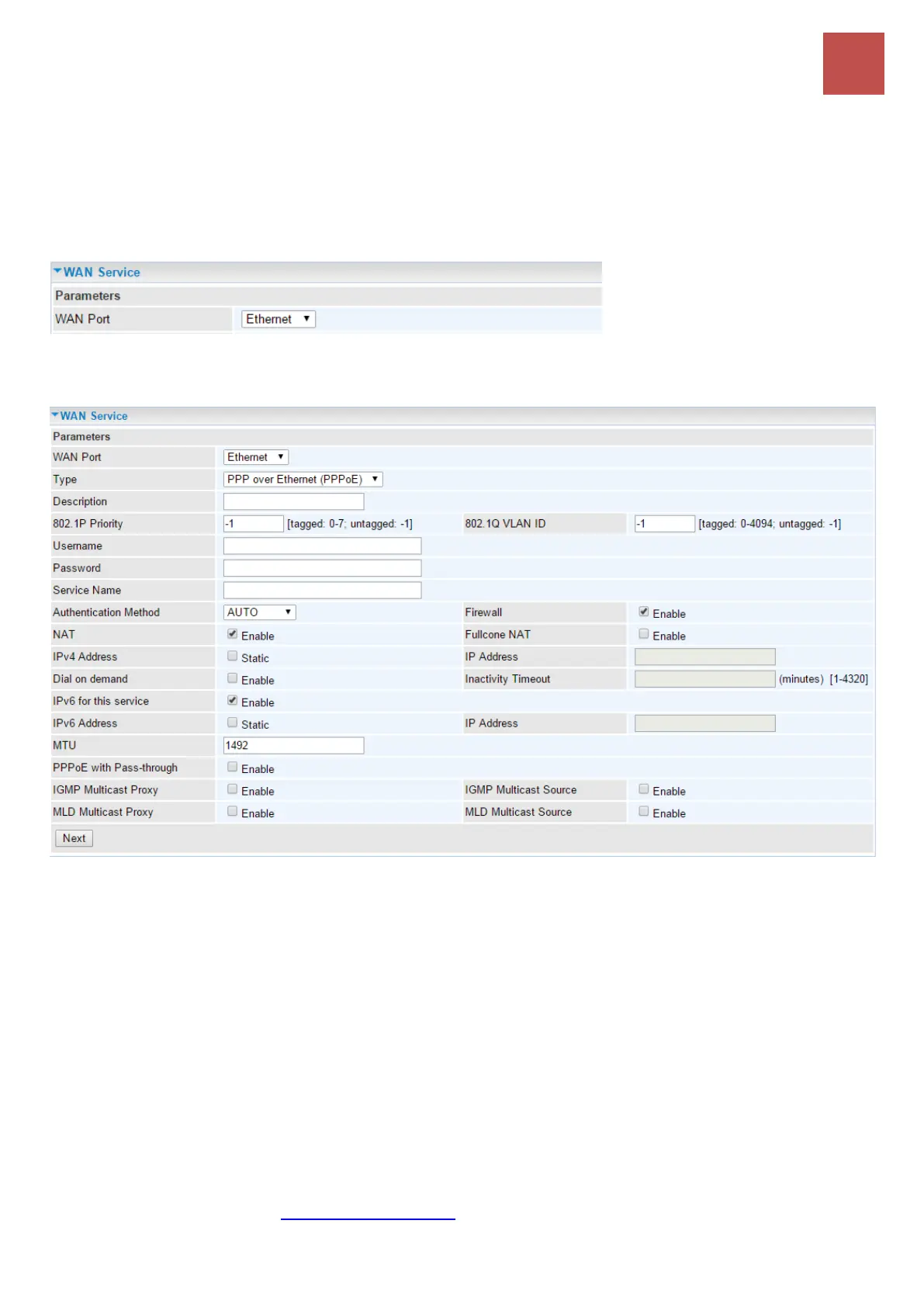
Ethernet WAN (EWAN) Connection Setup
The Ethernet 5 is an interchangeable LAN/WAN port. Connect LAN5/EWAN port with a Fiber, Cable,
or xDSL modem with a RJ-45 cable.
WAN Port: Select Ethernet to change LAN 5 port functionality.
EWAN Internet Protocol - PPPoE
Description: User-defined description for the connection, commonly for friendly use.
802.1P Priority: The parameter indicates the frame priority level from 0 (lowest) to 7 (highest), which
can be used to prioritize different classes of traffic (voice, video, data, etc). Enter the priority
identification, tagged: 0-1, untagged: -1.
802.1Q VLAN ID: It is a parameter to specify the VLAN which the frame belongs. Enter the VLAN ID
identification, tagged: 0-4094, untagged : -1.
Username: Enter the account obtained from the ISP.
Password: Enter the password obtained from the ISP.
Service Name: The item is for identification purposes, user can define this.
Authentication Method: Default is set to Auto. Or else your ISP will advise you the appropriate
mode.
Firewall: Enable to drop all traffic from WAN side. If enabled, all incoming packets by default would be
dropped, and please turn to IP Filtering Incoming to add allowing rules.
NAT: The NAT (Network Address Translation) feature allows multiple users to access the Internet



 To Next Page