Configuring Your Router
Advanced Setup – Management (SNMP Agent )
BEC 8920AC User Manual
Management
SNMP Agent
SNMP, Simple Network Management Protocol, is the most popular one in network. It consists of
SNMP Manager,SNMP Agent and MIB. Every network device supporting SNMP will have a SNMP
Agent which is a management software running in the device.
SNMP Manager, the management software running on the server, it uses SNMP protocol to send
GetRequest、GetNextRequest, SetRequest message to Agent to view and change the information of
the device.
SNMP Agents, the management software running in the device, accepts the message from the
manager Reads or Writes the management variable in MIB accordingly and then generates Response
message to send it to the manager. Also, agent will send Trap message to the manager when agent
finds some exceptions.
Trap message, is the message automatically sent by the managed device without request to the
manager about the emergency events.
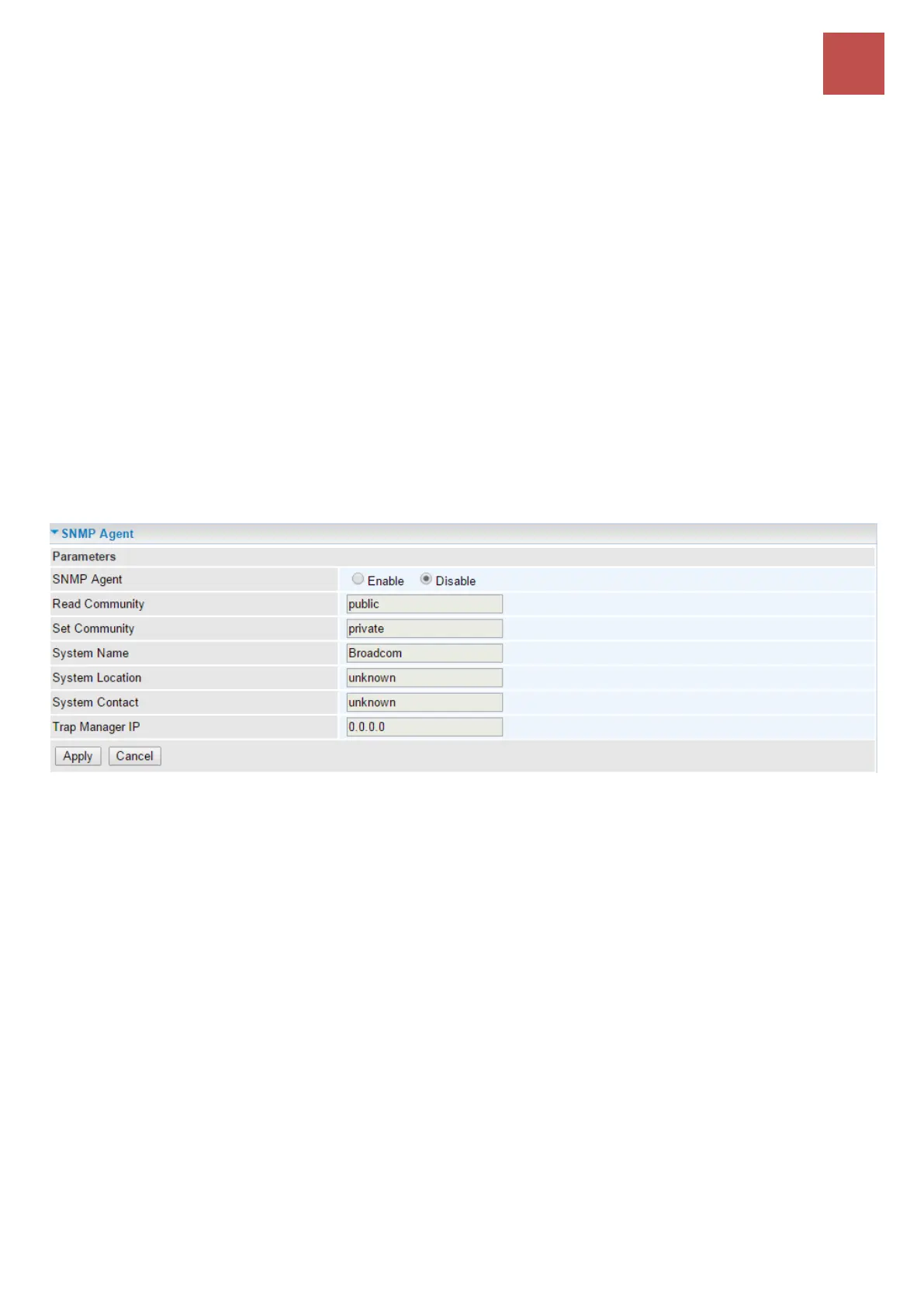
SNMP Agent: Enable to activate the SNMP Agent.
Read Community: Type the Get Community, which is the authentication for the incoming Get-and
GetNext requests from the management station.
Set Community: Type the Set Community, which is the authentication for incoming Set requests from
the management station.
System Name: here it refers to your router.
System Location: user-defined location.
System Contact: user-defined contact message.
Trap manager IP: enter the IP address of the server receiving the trap sent by SNMP agent.



 To Next Page