Configuring Your Router
Advanced Setup – Diagnostics (Diagnostic Tools)
BEC 8920AC User Manual
Diagnostics
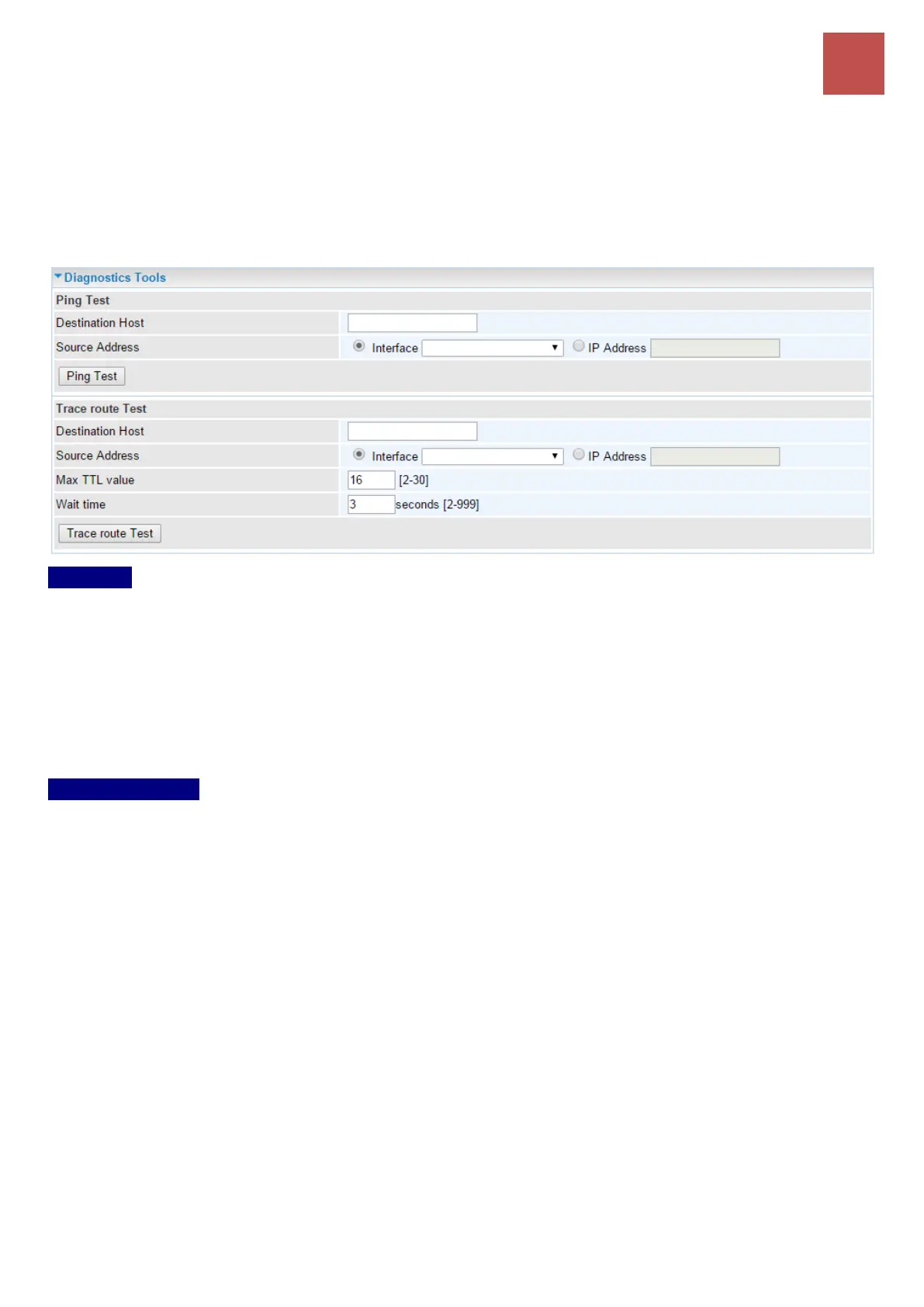
Diagnostic Tools
BEC 8920AC offers diagnostics tools including “Ping” and “Trace route test” tools to check for
problems associated with network connections.
Ping Test
Use to verify the connectivity between source and destination.
Destination Host: Enter the destination host (IP, domain name) to be checked for connectivity.
Source Address: Select a WAN interface or specify a source IP address to test the connectivity from
the source to the destination.
Ping Test: Press this button to start the ping test.
Trace Route Test
Use to trace the route to see how many hops (also see the exact hops) the packet of data has to take
to get to the destination.
Destination Host: Set the destination host (IP, domain name) to be traced.
Source Address: Select a WAN interface or specify a source IP address to trace the route from the
source to the destination.
Max TTL value: Set the max Time to live (TTL) value.
Wait time: Set waiting time for each response in seconds.



 To Next Page