Configuring Your Router
WAN – WAN Service
BEC 8920AC User Manual
WAN - Wide Area Network
A WAN (Wide Area Network) is a computer network that covers a broad geographical area (e.g.
Internet) that is used to connect LAN and other types of network systems.
WAN Service
BEC 8920AC provides three different Internet interface for WAN connection, VDSL/ADSL, Ethernet
WAN and 3G/4G_LTE via USB interface.
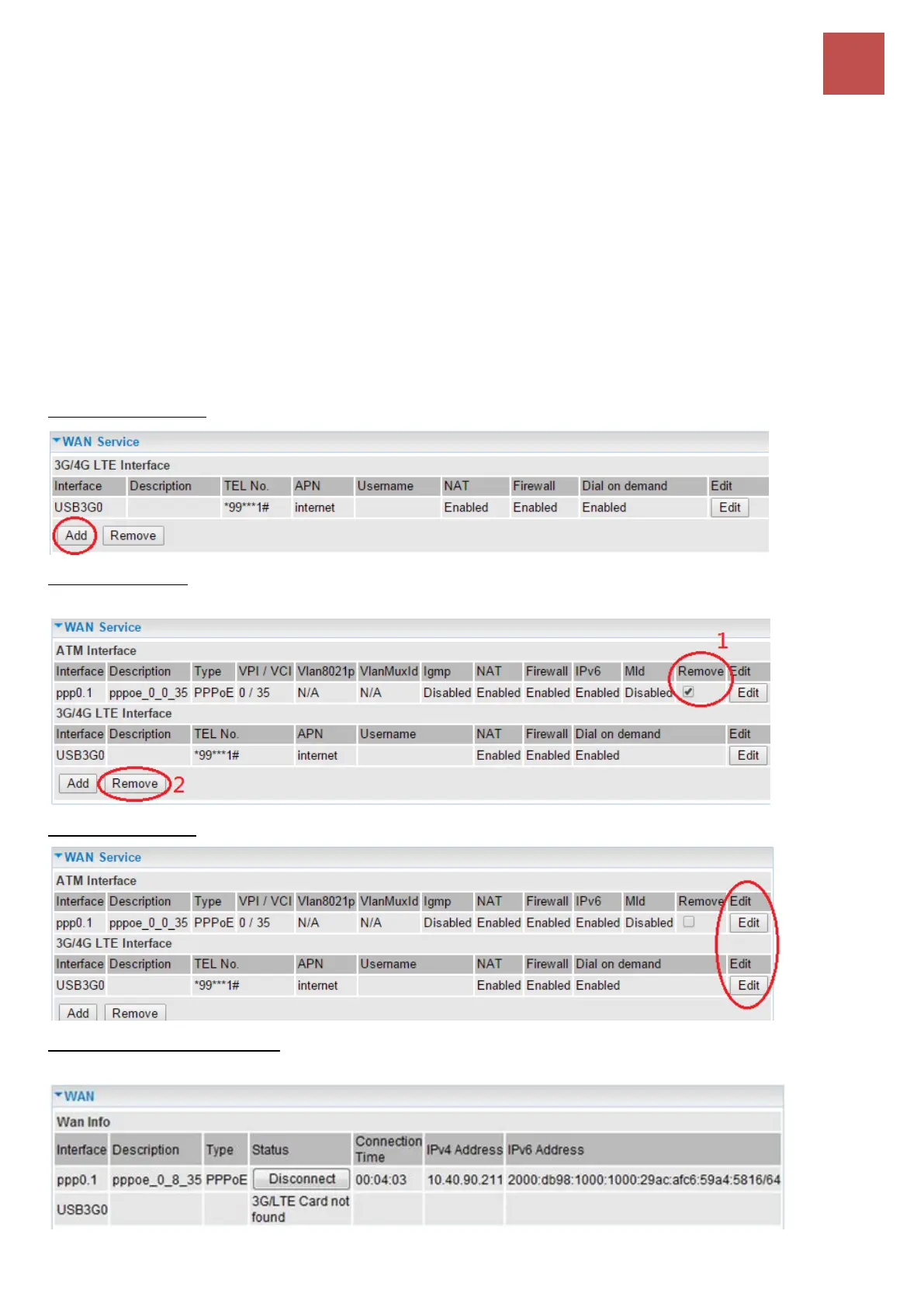
To add new entries, click Add to add a new WAN interface.
To delete entries, simply click the checkbox of the unwanted WAN interface then press Remove to
delete an entry.
To make changes, click Edit button of a WAN entry to re-configure the settings.
To check WAN connection, go to Status >WAN or Summary to check and review your WAN
connection status.



 To Next Page