Configuring Your Router
Quick Start Wizard
BEC 8920AC User Manual
Quick Start
This is a useful and easy utility to help you to setup the router quickly and to connect to your ISP
(Internet Service Provider) with only a few steps. It will guide you step by step to setup time zone and
WAN settings of your device. The Quick Start Wizard is a helpful guide for the first-time users to the
device.
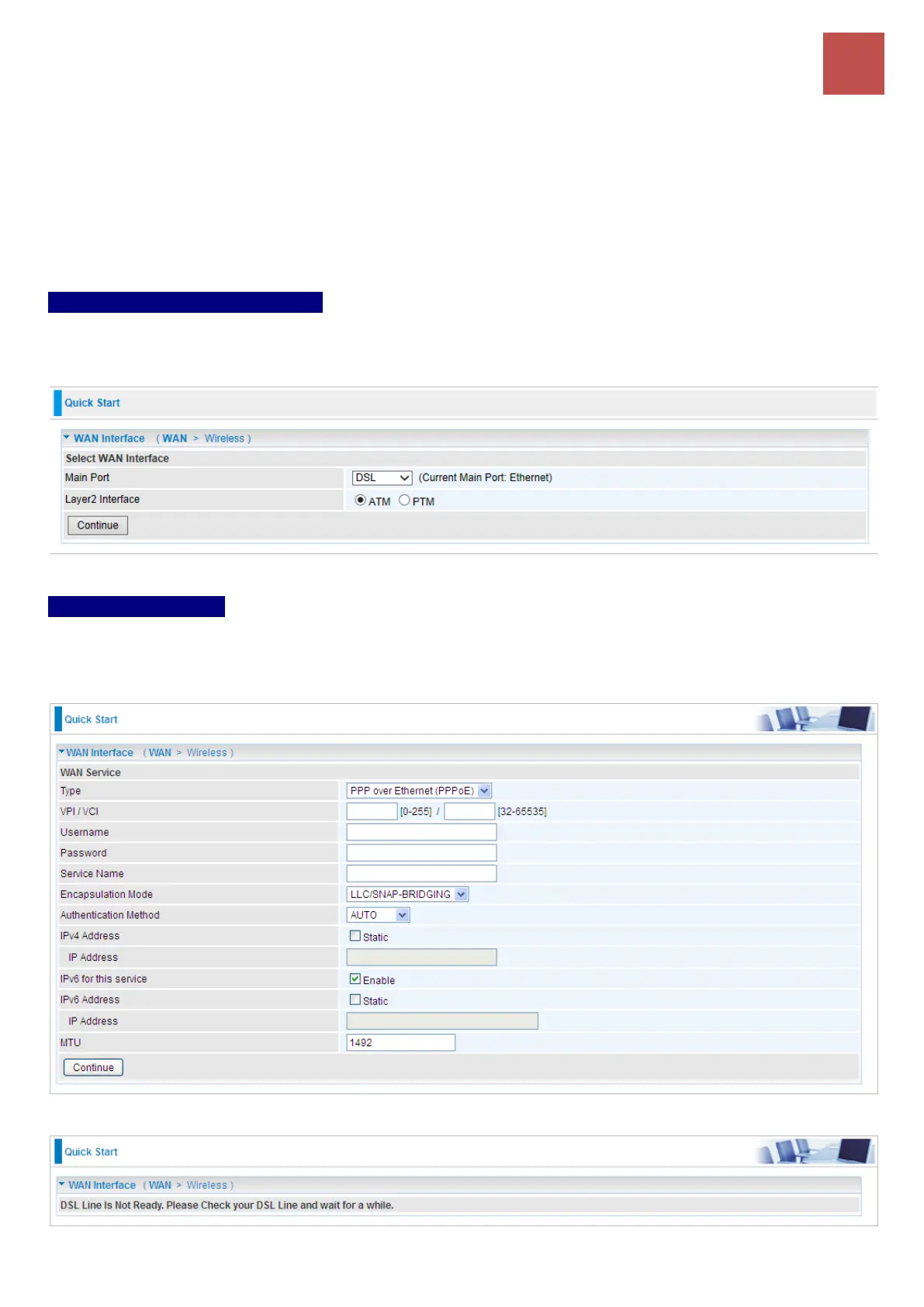
Step 1 – WAN Connection Type
Set up your WAN Internet connection.
Select a WAN Main Port then click Continue to continue
Step 2 – WAN Setup
2.1 If selected DSL / PPPoE
Enter the username, password from your ISP, for IP and DNS settings; also refer to your ISP. Here
IPv6 service is enabled by default.
If the DLS line is not synchronized, the page will pop up warning of the DSL connection failure.



 To Next Page