Configuring Your Router
Quick Start Wizard
BEC 8920AC User Manual
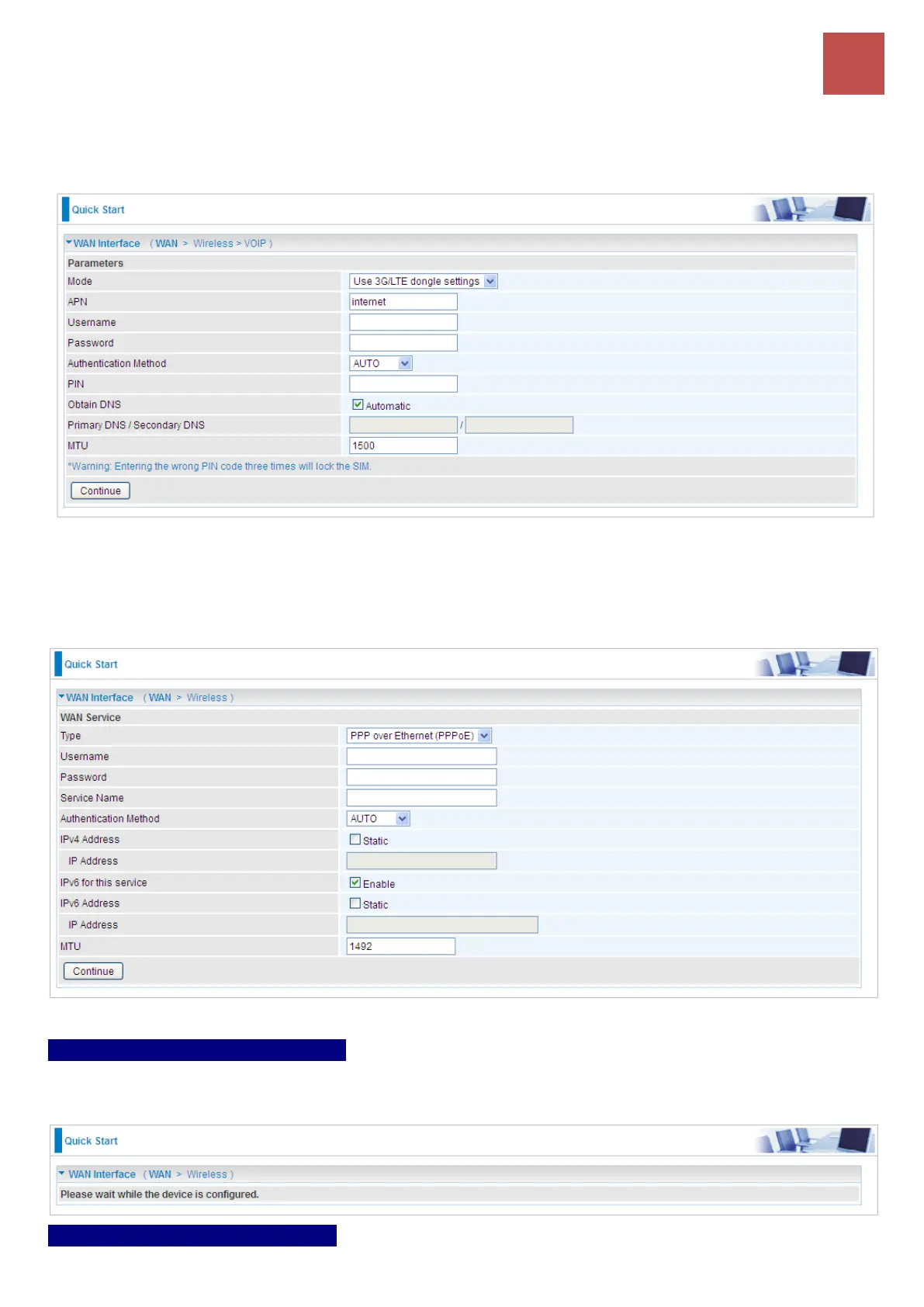
2.2 If selected 3G/4G-LTE USB
Enter the APN, username, password from your ISP; and check with your ISP with the authentication
method setting.
2.3 If selected EWAN / PPPoE
Enter the username, password from your ISP, for IP and DNS settings; also refer to your ISP. Here
IPv6 service is enabled by default
Step 3 – Configuration in Process
It takes about 15~30 seconds to save current configured settings. Once it is done, you will see a
“Configurations!” window.
Step 4 – WAN Connection Ready



 To Next Page