Configuring Your Router
Wireless 5G(wl0) & 2.4G(wl1) – Advanced for 5G Wireless
BEC 8920AC User Manual
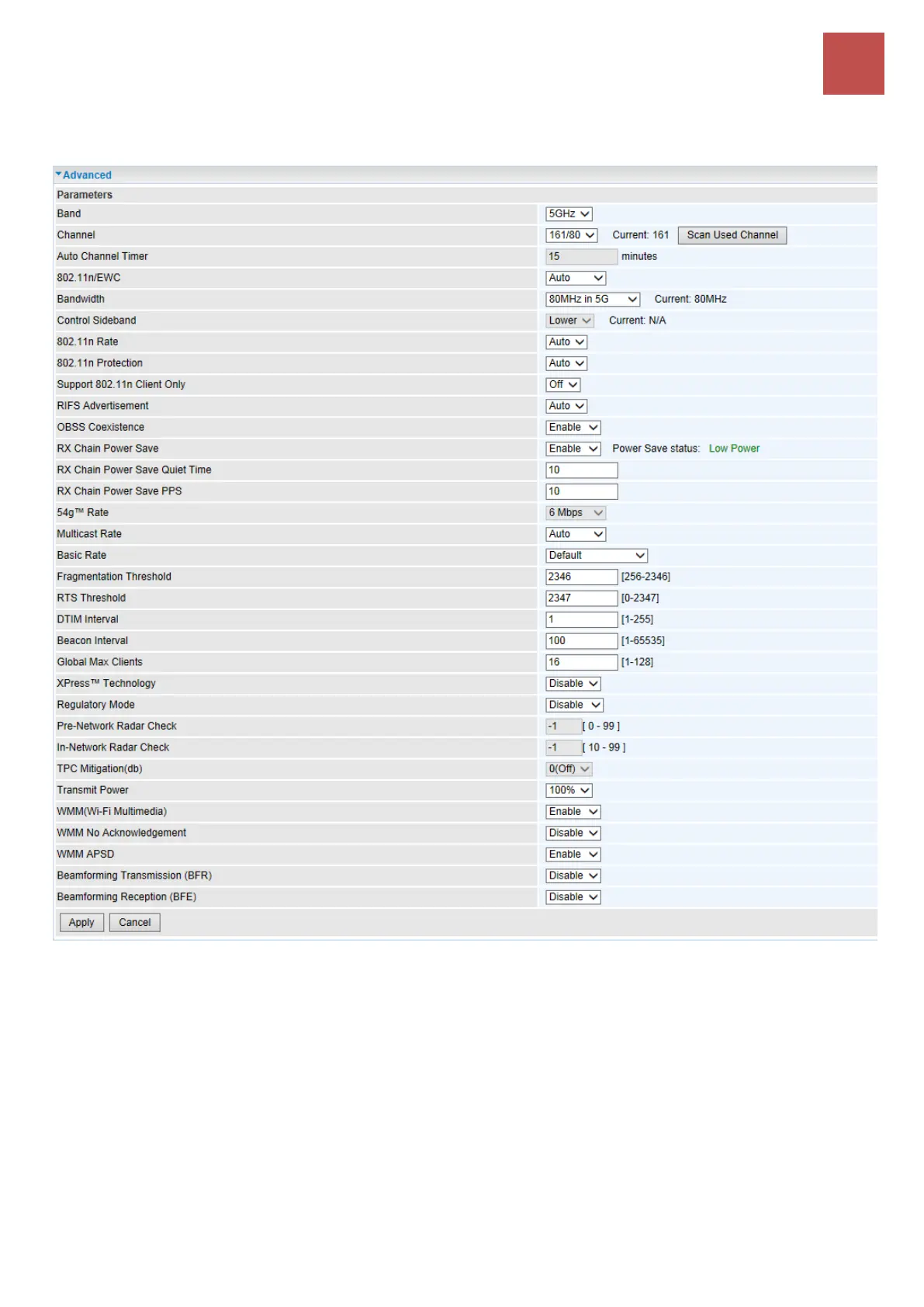
Advanced – 5GHz Wireless
Band: In the 5GHz radio frequency.
Channel: Choose a channel to use. Here is a list of available channels or select Auto mode instead.
Scan Used Channel: Press the button to scan and list all channels being used.
Auto Channel Timer (min): Available when Auto Channel is selected. The auto channel times length
it takes to scan in minutes.
802.11n/EWC: select to auto enable or disable 802.11n.
Bandwidth: The higher the bandwidth the better the performance will be but greater interference with
other wireless devices. Select 20MHz for lessen radio interference.
Control Sideband: only available for 40MHz. It allows you to select upper sideband or lower
sideband. Sideband refers to the frequency band either above (upper sideband) or below (lower



 To Next Page